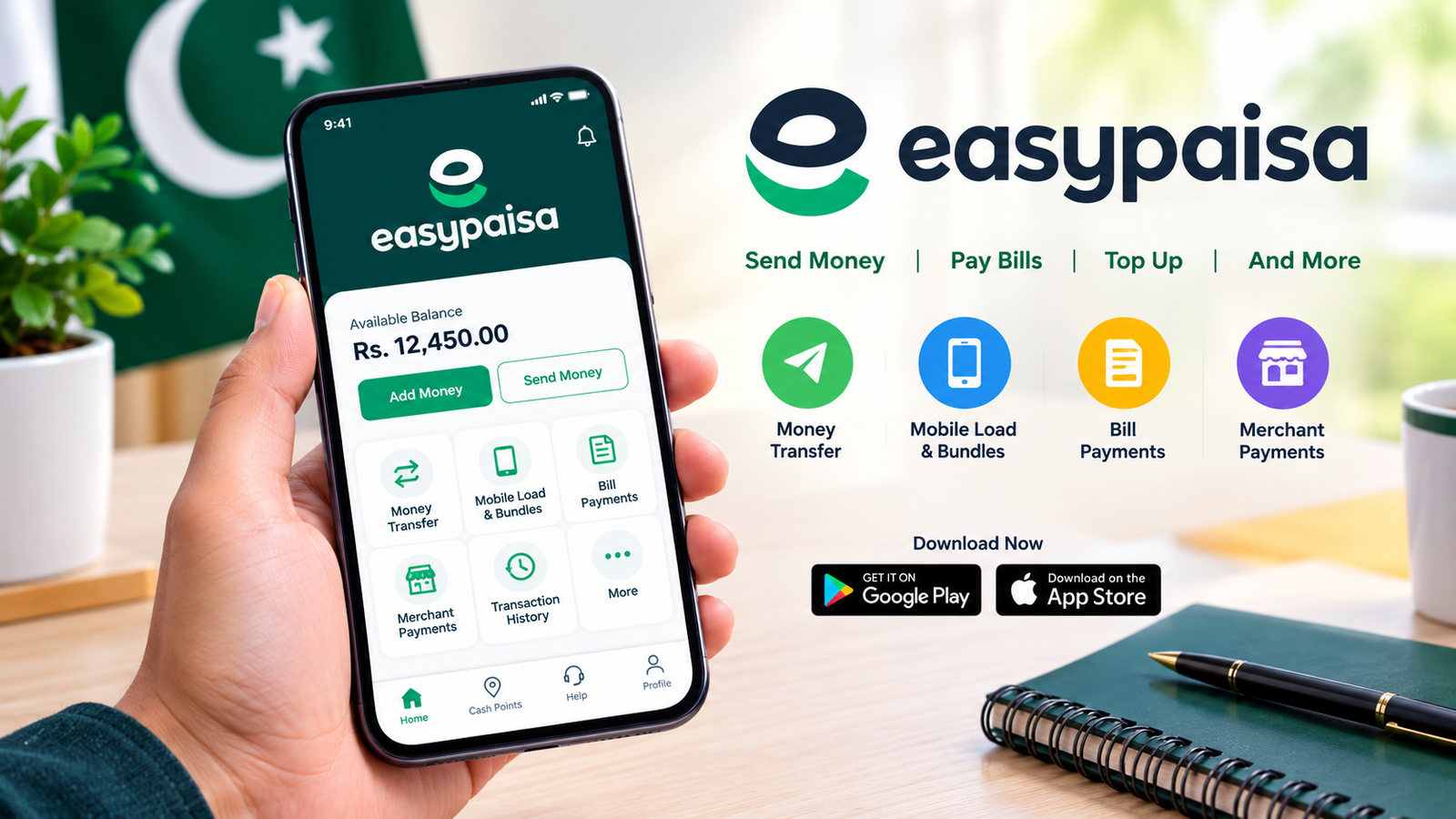
Easypaisa App Download: A Complete Guide to Download, Install, and Use Easypaisa in Pakistan
Mobile wallets have made everyday financial transactions easier for millions of people in Pakistan. Whether you need to send money to a friend, pay utility bills, purchase mobile balance, or check your account from home, a mobile banking app can save you time and effort. One popular option is Easypaisa, a digital financial service that allows users to handle many routine transactions through their smartphones.
If you are searching for Easypaisa app download, this guide explains how to get the official app, install it on Android or iPhone, register an account, and use its main features. You will also learn how to avoid fake applications, troubleshoot common installation problems, and protect your financial information.
Downloading a financial app from a trusted source is important because it may contain sensitive personal and transaction details. Before installing Easypaisa, make sure you choose the official application rather than an unofficial APK or a modified version.
What Is the Easypaisa App?
Easypaisa is a digital financial service in Pakistan that offers mobile wallet and payment facilities. Depending on your account status, eligibility, and the services currently available, you can use the app to perform transactions without visiting a physical location for every routine payment.
The app is designed to make common financial activities accessible from a compatible smartphone and an internet connection.
Some of its main uses include:
- Sending money to supported accounts and recipients.
- Receiving money through supported transfer methods.
- Paying electricity, gas, water, and other utility bills where available.
- Purchasing mobile top-ups and eligible bundles.
- Making payments to participating merchants.
- Reviewing transaction records and account activity.
- Accessing other financial services offered within the app.
The exact services, transaction limits, and applicable fees may change. Always review the information displayed in the official app before confirming a payment.
Easypaisa App Download for Android
Android users can download Easypaisa through the Google Play Store. This is generally the preferred method because the store provides the official app listing and can help users receive updates.
Steps to Download Easypaisa on Android
Follow these steps to install the app safely:
- Open the Google Play Store on your Android phone.
- Search for Easypaisa using the search bar.
- Check the app name, publisher information, and official branding carefully.
- Open the verified listing and review its details.
- Tap Install and wait for the download to finish.
- Open the application after installation.
- Follow the on-screen instructions to register or access your account.
You can also visit the official website at https://easypaisa.com.pk and use its available app-download links to find the appropriate store listing.
Avoid downloading APK files from random websites. A file may use the Easypaisa name or logo without actually being published or authorized by the service provider.
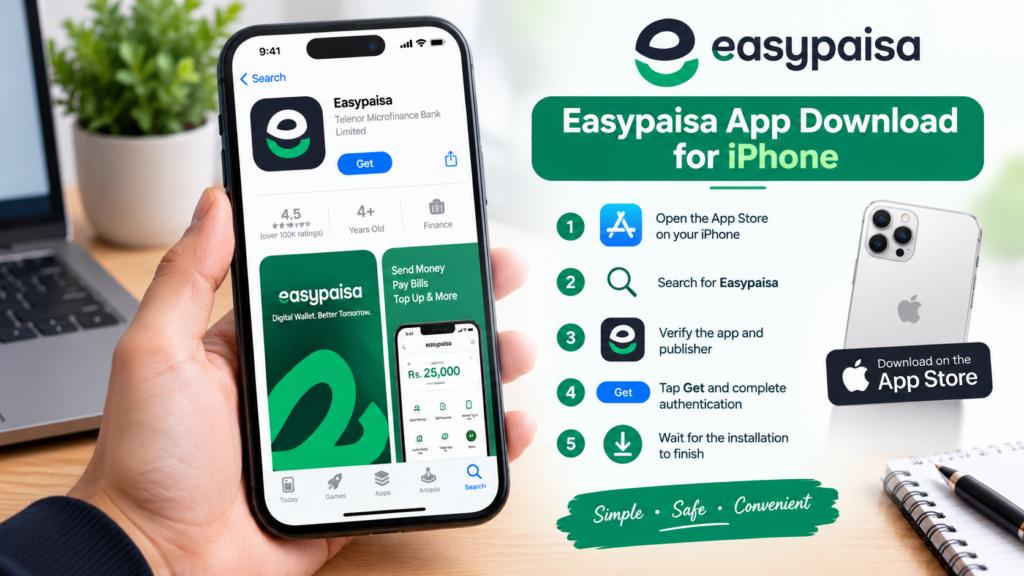
Easypaisa App Download for iPhone
iPhone users can look for the official Easypaisa application through Apple’s App Store.
The installation process is straightforward:
- Open the App Store on your iPhone.
- Search for Easypaisa.
- Verify the app’s publisher and official identity.
- Open the correct listing.
- Tap Get and complete any required authentication.
- Wait for the app to install.
- Open it and follow the instructions to sign in or create an account.
If the application does not appear in your search results, check the App Store region, device compatibility, and the service provider’s official website for current availability. Do not install configuration profiles or applications from unfamiliar sources to bypass normal installation requirements.
Easypaisa App Download: Android vs. iPhone
The basic purpose of the app is similar across supported devices, but the download process differs slightly.
| Feature | Android | iPhone |
|---|---|---|
| Recommended download source | Google Play Store | Apple App Store |
| Installation method | Tap Install | Tap Get |
| Updates | Through Google Play or supported update methods | Through the App Store |
| Compatibility | Depends on Android version and device requirements | Depends on iOS version and device requirements |
| APK installation | Not necessary when using Google Play | APK files cannot be installed natively on iOS |
| Account access | Subject to account and service requirements | Subject to account and service requirements |
For either platform, always use the official app and keep your phone’s operating system updated.
Main Features of the Easypaisa App
Easypaisa offers several digital payment facilities intended to make routine financial tasks more convenient. Available features can vary depending on your account and the current service offering.
1. Money Transfers
The app can support transfers to eligible recipients through available payment channels. Before sending money, verify the recipient’s name, account information, and the amount carefully.
Once a transaction is confirmed, reversing it may not always be possible.
2. Mobile Load and Bundles
Eligible users can purchase mobile balance and supported bundles through the app. This can be useful when you want to recharge a number without visiting a shop.
Check the selected network, phone number, bundle details, and displayed price before completing the purchase.
3. Utility Bill Payments
The app may provide payment options for supported electricity, gas, water, internet, and other bills.
To pay a bill, select the relevant bill category, enter the required reference information, and check the amount shown before confirming the transaction. Keep the receipt or transaction reference for future use.
4. Digital Payments
Where supported, Easypaisa can be used for payments to participating merchants and service providers. Digital payments can reduce the need to carry cash, although availability depends on the merchant and payment method.
5. Transaction History
Transaction records can help you review previous payments, transfers, and other account activity.
Check your history regularly so that you can identify unfamiliar transactions and report potential problems promptly through official support channels.
6. Additional Financial Services
Depending on eligibility and current availability, the app may provide access to additional financial products or services. Review their terms, fees, repayment conditions, and eligibility requirements before accepting an offer.
How to Register for an Easypaisa Account
After completing the Easypaisa app download, new users may need to register before accessing account features.
The precise process can change, but it generally involves the following steps:
- Open the official Easypaisa app.
- Enter your mobile number as requested.
- Complete the verification process provided by the app.
- Supply any required identity or account information.
- Set up the requested security credentials.
- Follow the remaining on-screen instructions.
You may need an eligible Pakistani mobile number and valid identification to use particular services. Requirements can differ by account type and applicable regulations.
Important: Never share your one-time password (OTP), PIN, or other authentication credentials with another person, even if they claim to be an Easypaisa representative. Genuine support should not require you to disclose your confidential PIN or OTP to them.
Is the Easypaisa App Safe to Download?
The official Easypaisa application is the appropriate choice for people who want to use the service. However, no digital financial service is completely free from security risks, and safe usage depends partly on your own practices.
Follow these precautions before and after installation:
- Use official sources: Download the app from Google Play or Apple’s App Store, or follow a download link provided by the official Easypaisa website.
- Check the publisher: Do not trust an app simply because its name or logo looks familiar.
- Avoid modified APKs: Unofficial versions claiming to unlock premium features or provide special financial benefits may expose your information.
- Protect your PIN: Choose a PIN that is difficult to guess and never share it.
- Keep your phone updated: Install security updates for your operating system and apps.
- Use a screen lock: A PIN, password, or biometric lock can help protect your phone if it is lost.
- Review permissions: Be cautious if an application requests access that does not appear necessary for its stated function.
- Monitor transactions: Report suspicious account activity promptly through official support channels.
If you receive a message asking you to install an Easypaisa APK through an unfamiliar link, do not open the file until you have verified its source. Fraudsters may use fake payment applications, imitation websites, and misleading messages to collect personal information.
How to Fix Common Easypaisa Download and Installation Problems
Sometimes the app may not download, install, open, or complete the login process. Several basic checks can help identify the problem.
Download Is Stuck
If the download does not progress:
- Check that your internet connection is working.
- Switch between Wi-Fi and mobile data if possible.
- Make sure your device has enough free storage.
- Pause and restart the download.
- Check whether the relevant app store is experiencing a temporary issue.
The App Is Not Compatible With Your Phone
An app may not appear or install if your operating system is outdated or the device does not meet the current requirements.
Check for available Android or iOS updates. If your phone is no longer supported, consult the official Easypaisa website or support team rather than searching for an older or modified APK from an unknown source.
The App Does Not Open
If Easypaisa crashes or freezes, try restarting your phone and checking for app updates. Android users can also check the app’s storage settings and clear its cache if the option is available.
Avoid clearing app data or reinstalling the app before confirming that you can access your account again, especially if you do not remember your login credentials.
OTP or Login Problems
If you do not receive a verification code, check your mobile signal, confirm that you entered the correct number, and wait briefly before requesting another code.
Never share a verification code with someone who contacts you unexpectedly. If the problem continues, use the official support options provided by Easypaisa.
A Transaction Does Not Appear
Check your transaction history and any confirmation message you received. Do not immediately repeat a payment if its status is unclear, as you could accidentally make the same payment twice.
Keep the transaction reference and contact official support if the issue remains unresolved.
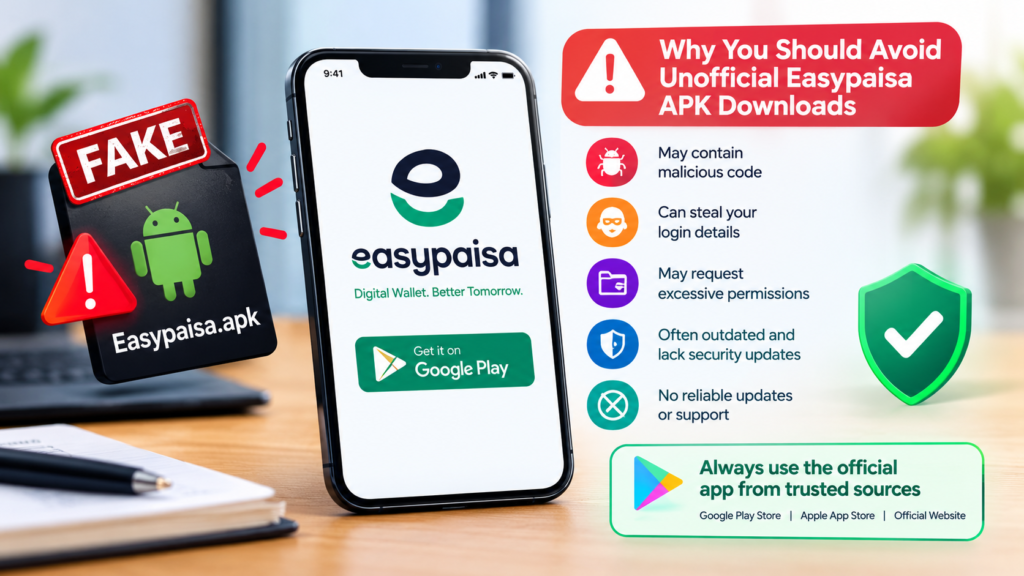
Why You Should Avoid Unofficial Easypaisa APK Downloads
Searching for Easypaisa app download may lead you to websites offering APK files outside the official app stores. Although Android supports installing some apps from APK files, that does not mean every file is genuine or safe.
Unofficial financial app packages can create several risks:
- They may contain malicious code.
- They may imitate the official login screen to steal credentials.
- They may request excessive permissions.
- They may be outdated and lack important security fixes.
- They may not receive reliable updates.
- They may expose financial or personal information.
A file scanner may detect some known threats, but a clean scan does not prove that an APK is authentic. Likewise, an app’s icon, file name, download count, or website description cannot establish its legitimacy.
For a financial service, the safest approach is to install the official application through a trusted distribution channel and avoid modified versions entirely.
Tips for Using Easypaisa More Effectively
Once your account is set up, a few habits can make your experience more convenient and secure.
- Double-check recipient details: Verify the recipient’s information before sending money.
- Review fees before paying: Check any service charges displayed before confirming a transaction.
- Keep confirmation records: Save transaction IDs or receipts when needed.
- Use official customer support: Find contact information through the official Easypaisa website or app.
- Update the app regularly: Updates can provide compatibility improvements, bug fixes, and security enhancements.
- Be alert to scams: Ignore unexpected messages promising prizes, free money, or account upgrades in exchange for your PIN or OTP.
- Log out or secure your device when necessary: This is especially important if you share your phone with other people.
These straightforward practices can help you use digital payments with greater confidence.
Frequently Asked Questions (FAQs)
1. Where can I download the Easypaisa app?
You can download the official Easypaisa app through the Google Play Store for supported Android devices or the Apple App Store for supported iPhones. You can also visit https://easypaisa.com.pk to find official download information.
2. Is Easypaisa available for Android and iPhone?
Yes, Easypaisa has offered applications for Android and iOS. Availability and compatibility depend on the current app listing, operating system version, and device requirements. Check the appropriate official app store for the latest information.
3. Can I download Easypaisa APK directly?
Android allows APK installation, but you should avoid APK files from unverified websites, particularly for financial applications. Use the official Google Play Store listing whenever possible. An APK’s name or appearance alone does not prove that it is genuine.
4. Do I need a mobile number to register for Easypaisa?
Registration generally requires a mobile number and verification. Additional identity and eligibility requirements may apply depending on the account type and the services you want to use. Follow the instructions in the official app.
5. Why is the Easypaisa app not installing on my phone?
Common reasons include insufficient storage, a weak internet connection, an outdated operating system, or device incompatibility. Check your connection, free storage, system updates, and the app’s official store listing before trying again.
6. Is it safe to use Easypaisa for online payments?
Using the official app and following security precautions can help reduce risk. Protect your PIN and OTP, verify payment details, keep your phone updated, and report suspicious activity promptly. Never install a modified financial app or disclose confidential authentication information to strangers.
Final Thoughts
The Easypaisa app download process is straightforward when you use the correct source for your device. Android users should look for the official application on Google Play, while iPhone users should use the Apple App Store. After installation, follow the registration instructions and review the available features to understand which services suit your needs.
Easypaisa can make everyday payments, transfers, mobile top-ups, and other supported financial activities more convenient. However, convenience should never come at the expense of security.
Also Read: How to Check APK With Antivirus: 7 Steps to Scan Android APK Files Safely













1 comment