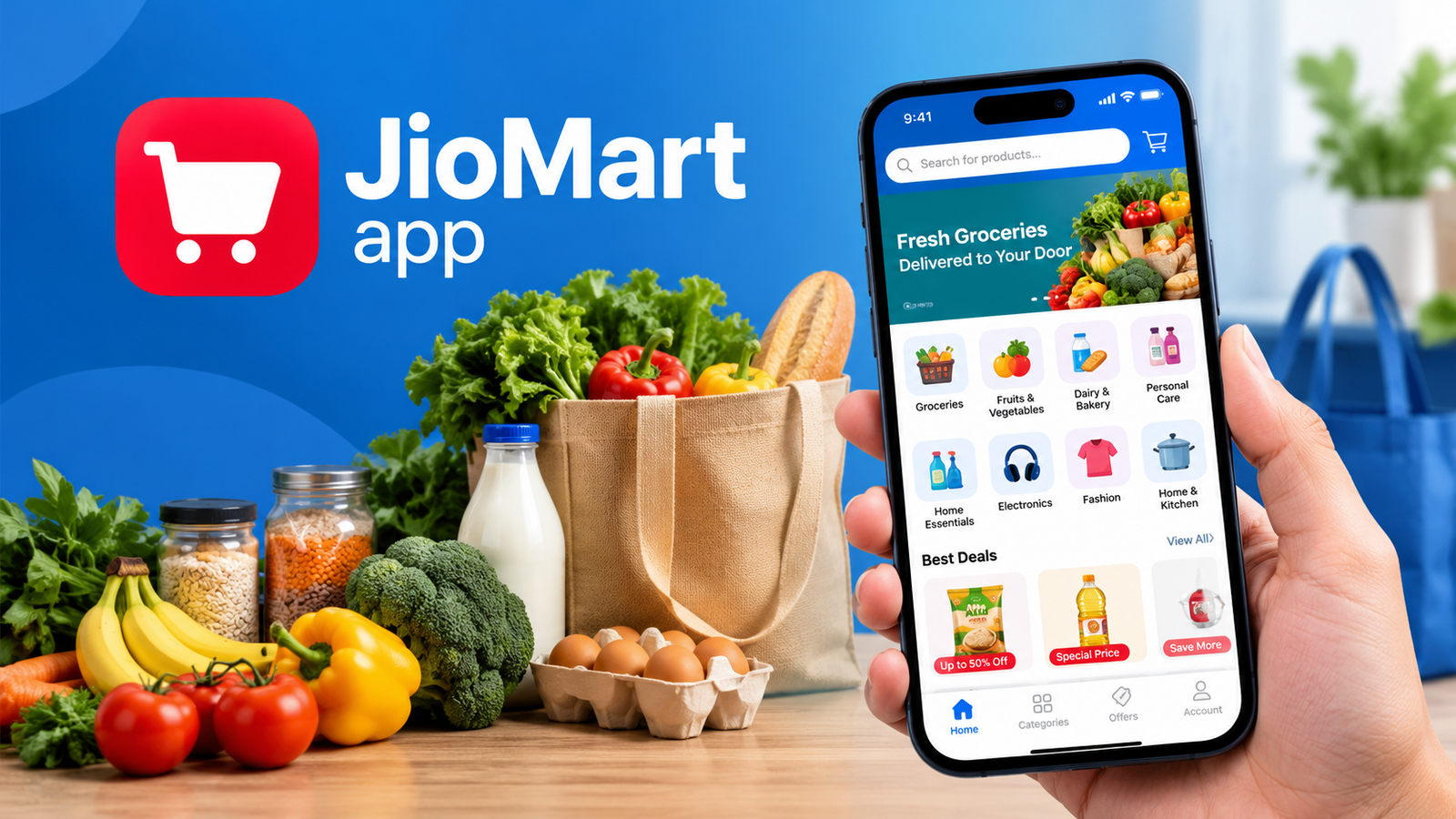
JioMart App: Download, Features, Benefits, and How to Shop Online
Online shopping has made it easier to manage everyday needs without visiting multiple stores. Whether you need groceries, fresh vegetables, household supplies, or electronic products, shopping apps can help you find what you need from home. The JioMart app is one option for customers in India who want to shop for daily essentials and explore a wide range of products through a single platform.
JioMart offers online shopping across several categories, including groceries, personal care, fashion, electronics, and home essentials. Depending on your location and the product you select, you may also have access to quick grocery delivery or scheduled delivery services.
In this guide, you will learn what the JioMart app offers, how to download and use it, which payment methods are available, and what to check before placing an order.
What Is the JioMart App?
The JioMart app is an online shopping application operated by Jio Platforms and associated with Reliance Retail’s shopping business. It allows customers to browse products, compare prices, add items to a shopping cart, and place orders for delivery to supported locations in India.
The platform is designed for both everyday shopping and purchases that require more planning. You can order food staples, cleaning supplies, personal care products, and other household necessities. Depending on availability, you can also explore fashion, beauty, electronics, furniture, and kitchen products.
One of the main advantages of using the JioMart app is convenience. Instead of visiting several shops, you can search for different products in one place and review your order before completing the purchase.
However, delivery times, product availability, prices, and applicable charges may vary according to your delivery address and the type of order.

Key Features of the JioMart App
The JioMart app includes several features intended to make online shopping more convenient. Here are some of the most useful ones.
1. A Wide Range of Products
JioMart offers products across multiple shopping categories. This makes it useful for customers who prefer to purchase everyday essentials and other items through one platform.
Popular categories include:
- Groceries: Rice, flour, pulses, cooking oil, snacks, and packaged foods.
- Fresh produce: Fruits, vegetables, and selected fresh food products.
- Dairy and bakery: Milk, cheese, bread, butter, and related items.
- Personal care: Haircare, skincare, hygiene, and grooming products.
- Home essentials: Cleaning supplies, laundry products, and household accessories.
- Electronics: Selected smartphones, accessories, appliances, and gadgets.
- Fashion and lifestyle: Clothing, footwear, jewellery, and accessories.
- Home and kitchen: Cookware, storage products, furniture, and home décor.
The selection available to you may differ depending on your location, stock levels, and the delivery option you choose.
2. Quick Grocery Delivery
One of the features that attracts customers to JioMart is the option for fast delivery of everyday essentials in supported areas.
If your location is eligible, you may be able to order groceries and receive them within a short period. This can be particularly useful when you run out of cooking ingredients or household supplies unexpectedly.
Keep in mind that fast delivery is not guaranteed everywhere. Check the delivery estimate displayed in the app before confirming your order.
3. Scheduled Shopping
Not every purchase needs to arrive immediately. The JioMart app also provides scheduled shopping options for a broader selection of products.
This can be useful when buying electronics, clothing, kitchen equipment, or household items that you do not need urgently.
Check the delivery estimate for each product or order, as larger items and non-grocery products may require more time to arrive.
4. Deals and Discounts
The app may feature promotional offers, product discounts, and special deals on selected items.
These offers can help customers manage their shopping budgets, particularly when purchasing frequently used household products.
Before applying an offer, review its terms. Some promotions may require a minimum order value, a specific payment method, or the purchase of selected products. Compare the final price rather than relying only on the advertised discount.
5. Multiple Payment Options
The JioMart app supports various payment methods, which may include UPI, credit cards, debit cards, net banking, and cash on delivery for eligible orders.
The payment options displayed at checkout depend on the current service rules and your order.
Always check the final payment summary before confirming your purchase. If you choose cash on delivery, make sure you understand the payment instructions provided for your delivery.
6. Order Tracking
After placing an order, you can check its status through the app or website.
Order tracking helps you understand whether your purchase is being processed, dispatched, or prepared for delivery. For eligible orders, tracking information may also provide updates about the delivery process.
If the status does not change for an unusually long time, consult the available customer support options.
JioMart App Download: How to Install It
Downloading the official JioMart app is straightforward. The safest approach is to use a recognised app store rather than an unknown APK website.
Download JioMart on Android
Follow these steps to install the app on an Android phone:
- Open the Google Play Store on your phone.
- Search for JioMart Online Shopping App.
- Check that the developer information matches the official listing.
- Tap Install and wait for the download to finish.
- Open the app and follow the on-screen instructions.
- Sign in or register if required to continue shopping.
You can find the official listing here: https://play.google.com/store/apps/details?id=com.jpl.jiomart
Download JioMart on iPhone
iPhone users can look for the official JioMart app in Apple’s App Store.
- Open the App Store.
- Search for JioMart Online Shopping App.
- Review the app name and developer information.
- Tap Get to install the application.
- Open the app and follow the instructions to get started.
Use the official listing to check compatibility and availability: https://apps.apple.com/pk/app/jiomart-online-shopping-app/id1522085683
Can You Download the JioMart APK?
Android users sometimes search for a JioMart APK when they cannot access an app store. However, downloading APK files from unofficial websites can expose your device to modified applications, malware, or unwanted permissions.
Whenever possible, install JioMart through the official Google Play Store. If you must obtain an APK from another source, verify the publisher, file integrity, digital signature, and security scan results before installing it.
A security scan alone cannot guarantee that an APK is safe. Avoid files that ask for unnecessary permissions or claim to provide special discounts through unofficial modifications.
How to Use the JioMart App to Place an Order
Once you have installed the app, you can follow a few simple steps to complete your first purchase.
Step 1: Sign In and Set Your Location
Open the app and sign in or register according to the instructions shown. Provide the required details and verify your mobile number if prompted.
Next, enter your delivery address or PIN code. This step is important because the app uses your location to determine available products, delivery estimates, and applicable offers.
Step 2: Search for Products
Use the search bar to find specific items, such as rice, milk, detergent, or cooking oil.
You can also browse categories if you are not looking for anything particular. Review the product description, size, quantity, brand, and price before selecting an item.
Step 3: Add Items to Your Cart
Choose the products you need and add them to your shopping cart.
Before proceeding, review the quantities carefully. For groceries, compare package sizes and unit prices where possible. A larger package may offer better value, but only if you can use the product before it expires.
Step 4: Review Your Order
Open your cart and check the complete order summary.
Make sure that:
- All selected products are correct.
- Quantities and package sizes are accurate.
- Any eligible discounts have been applied.
- Delivery fees and other applicable charges are visible.
- Your delivery address is correct.
Product availability and the final price may change before checkout, so review the latest information displayed by the app.
Step 5: Choose a Payment Method
Select one of the payment methods offered for your order. Depending on eligibility, options may include UPI, a debit or credit card, net banking, or cash on delivery.
Follow the payment instructions carefully. Never share your banking PIN, password, or one-time verification code with someone claiming to be a delivery agent or customer support representative.
Step 6: Confirm and Track Your Order
After confirming the purchase, check the order confirmation details. Save the order number if you need it for customer support.
Use the tracking feature to follow the order’s progress and check the expected delivery time.
JioMart App: Main Benefits and Limitations
Like other online shopping platforms, JioMart has advantages as well as a few limitations to consider.
| Feature | Potential benefit | What to check |
|---|---|---|
| Product variety | Shop across several categories | Selection varies by location |
| Grocery delivery | Saves a trip to the store | Delivery speed depends on local availability |
| Scheduled orders | Useful for planned purchases | Some products take longer to arrive |
| Discounts | May reduce shopping costs | Check offer conditions and final price |
| Online payments | Convenient checkout | Available methods vary by order |
| Order tracking | Helps monitor delivery progress | Tracking updates may occasionally be delayed |
| Customer support | Provides a route for resolving problems | Keep your order details ready |
Advantages of Using JioMart
The JioMart app may be a useful choice for customers who want to:
- Save time on regular grocery shopping.
- Compare products and prices before buying.
- Explore groceries and non-grocery items in one place.
- Check available promotions before checkout.
- Track orders without contacting a store directly.
- Plan purchases through scheduled delivery options.
Limitations to Consider
There are also a few things to keep in mind.
Availability differs by location. Some products and delivery services may not be available in every PIN code.
Delivery estimates can change. Busy periods, local demand, and stock issues may affect delivery times.
Offers have conditions. A discount shown on a product may not apply to every order or customer.
Online shopping requires careful checking. Read descriptions, verify quantities, and review return or replacement conditions before purchasing.
Understanding these limitations can help you decide whether the app suits your shopping habits.
Tips for Getting Better Value From the JioMart App
You do not need to spend more to make online shopping useful. A few simple habits can help you shop more efficiently.
Compare Prices Before Ordering
Compare similar products by brand, quantity, and unit price. A discounted package is not always the cheapest option.
For example, when buying cooking oil or detergent, compare the cost per litre or kilogram rather than looking only at the package price.
Check Offers Before Checkout
Review available deals and coupons before completing your order. Confirm that the discount has actually been applied to your final bill.
Avoid purchasing unnecessary items simply to qualify for a promotion.
Plan Your Grocery List
Prepare a shopping list before opening the app. This makes it easier to stay within your budget and reduces the chance of forgetting essential items.
You can group your list into categories such as vegetables, pantry products, dairy, and cleaning supplies.
Review Delivery and Return Details
Check the expected delivery date and applicable charges before placing an order. For electronics, appliances, and other higher-value products, review the return, replacement, and warranty information carefully.
Keep the order confirmation until you are satisfied with your purchase.
Protect Your Account
Use a strong password where applicable, keep your phone secure, and install app updates from official sources.
If you receive an unexpected message asking for payment or account verification, confirm its legitimacy through official JioMart channels before taking action.

What to Do If the JioMart App Is Not Working
Sometimes an app may fail to open, display outdated information, or encounter problems during checkout. Try these basic troubleshooting steps.
- Check your internet connection. Switch between Wi-Fi and mobile data to identify connection problems.
- Update the app. Open your app store and install any available official update.
- Restart the app. Close it completely and open it again.
- Restart your phone. This can resolve temporary device issues.
- Check your delivery address. Confirm that your PIN code and address are entered correctly.
- Clear the cache on Android. Open Settings, find the app under Apps, and use the available storage options to clear its cache. Menu names vary by device.
- Check the payment status. If a payment appears unsuccessful but money has been deducted, review your bank or UPI transaction details before attempting another payment.
If the problem continues, contact official JioMart customer support through the app or website. Provide relevant order details, but never share your password or banking PIN.
Frequently Asked Questions About the JioMart App
1. Is the JioMart app free to download?
Yes. The official JioMart app is available to download without an app purchase charge through supported app stores. Individual orders may still include product prices and any applicable charges displayed at checkout.
2. Is the JioMart app available for Android and iPhone?
Yes. JioMart has official listings for Android and iPhone users. Availability and device compatibility should be checked through the relevant Google Play Store or Apple App Store listing.
3. Does JioMart deliver groceries in every city?
No. Product selection and delivery services depend on your location and the service available for your PIN code. Enter your delivery details in the app to check the options available to you.
4. Which payment methods can I use on JioMart?
Depending on your order, available methods may include UPI, debit and credit cards, net banking, and cash on delivery. Check the checkout page for the options offered for your particular purchase.
5. Can I track my JioMart order?
Yes. You can check your order status through the app or website. The tracking information and delivery estimate depend on the order and its current stage of processing.
6. Is it safe to download the JioMart APK from an unknown website?
It is safer to download the official application from a recognised app store. APK files from unknown websites may be modified or unsafe. If an alternative download is unavoidable, verify the source and file integrity before installation, and remember that antivirus scans cannot guarantee complete safety.
Final Thoughts
The JioMart app offers a convenient way to shop for groceries, household necessities, and a variety of other products through one online platform. Features such as product search, promotional offers, payment options, order tracking, and delivery choices can make everyday shopping easier.
Before placing an order, check whether your location is supported, compare product prices, review delivery estimates, and confirm the final amount at checkout. Downloading the official app and keeping your account secure are equally important.
Also Read: How Google Play Protect Checks APK Files: A Complete Safety Guide














1 comment