
Rapido App: Features, Ride Booking, Benefits, Safety, and Complete User Guide
Getting around busy cities can be challenging, especially when traffic, parking problems, and expensive transportation make everyday travel difficult. Whether you need to reach your office, visit a shopping centre, or travel a short distance, having a reliable ride-booking application can make your journey easier.
The Rapido app has become a popular transportation option in India by offering convenient bike taxi, auto-rickshaw, and cab booking services. Instead of searching for transportation on the road, users can request a ride directly from their smartphones.
The application is designed to make everyday travel more convenient through digital ride booking, pickup and drop-off locations, estimated fares, and ride information. It also provides different transportation options depending on the user’s city.
In this guide, we will explore the Rapido app, its important features, how to book a ride, available payment methods, safety considerations, and common problems users may experience.
What Is the Rapido App?
The Rapido app is a ride-booking application developed by Roppen Transportation Services Private Limited in India. It connects passengers with independent drivers, known as Captains, who offer transportation services through the platform.
The application allows users to request different types of transportation without having to find a driver manually. Depending on local availability, passengers can choose between bike taxis, auto-rickshaws, and cabs.
One reason behind its popularity is its focus on short-distance and everyday transportation. For example, someone travelling to a nearby railway station might prefer a bike taxi, while a family travelling together may choose a cab.
Rapido also provides a digital platform where users can enter their travel details, view available ride options, check estimated prices, and follow their bookings.
The company states that its services are available across more than 400 cities in India, although the exact transportation options can vary by location.
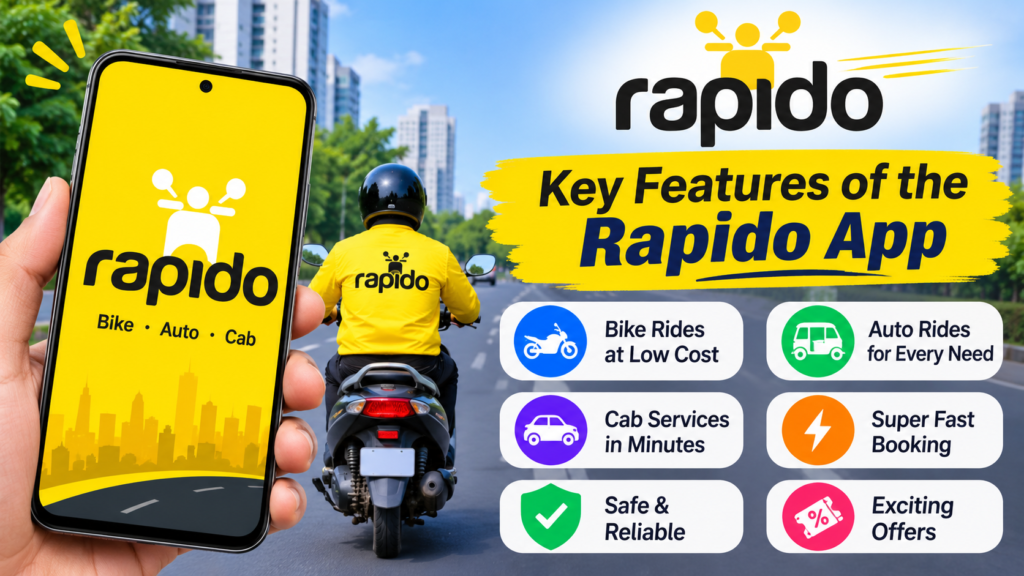
Key Features of the Rapido App
The Rapido app includes several features designed to simplify the ride-booking experience. Here are some of the important features worth understanding.
1. Bike Taxi Booking
Bike taxi booking is one of the best-known services associated with Rapido.
Passengers can request a motorcycle ride for short-distance journeys. This option can be useful when travelling through crowded streets or when reaching a destination quickly is more important than travelling in a larger vehicle.
Some benefits include:
- Convenient transportation for short journeys.
- Easy pickup and drop-off selection.
- An alternative to traditional auto-rickshaws.
- Potentially lower fares than some other transportation options.
- Useful for everyday commuting.
Passengers should always follow local transportation rules and wear the required safety equipment.
2. Auto-Rickshaw Booking
The application also supports auto-rickshaw bookings in locations where the service is available.
This option is useful for people who prefer three-wheeled transportation instead of travelling by motorcycle. It can also be a practical choice for short trips involving shopping, office travel, or visiting nearby places.
Users can enter their destination and check the available auto options before confirming a booking.
3. Cab Booking
For passengers who want a more spacious transportation option, Rapido also offers cab services in supported locations.
Cab bookings can be helpful for:
- Travelling with family members.
- Reaching airports and railway stations.
- Carrying personal luggage.
- Travelling during uncomfortable weather.
- Longer journeys within supported service areas.
The available cab categories depend on the city and current driver availability.
4. Easy Pickup and Drop-Off Selection
The Rapido app allows users to enter their pickup and destination locations before requesting a ride.
Users can generally select their current location through device location services or manually enter an address.
This feature helps passengers communicate their intended route more clearly and reduces confusion about pickup points.
5. Estimated Fare Information
Before requesting transportation, users can view fare information for their selected route.
The displayed amount may depend on several factors, including:
- Travel distance.
- Journey duration.
- Selected vehicle category.
- Local pricing conditions.
- Applicable additional charges.
The estimated amount should be treated as guidance rather than a guaranteed final price. Always review the displayed fare and applicable conditions before confirming a ride.
6. Real-Time Ride Tracking
Ride tracking is another useful feature for passengers.
After a booking is accepted, the application can display relevant Captain and vehicle information and provide location updates.
This helps users understand where their ride is and when the driver may arrive.
7. Multiple Payment Options
The Rapido app supports payment methods depending on the location and available booking options.
These may include:
- Cash payments.
- UPI payments.
- Supported digital payment methods.
- Other payment options displayed during booking.
Not every payment method is necessarily available for every ride. Users should check the payment section before confirming their booking.
8. Ride History and Feedback
After completing a journey, users can review their previous ride information and provide feedback where the feature is available.
Ratings and feedback help passengers report their experiences, including concerns about driver behaviour, vehicle condition, or ride quality.
Different Ride Options Available on Rapido
One of the main advantages of the platform is that it offers different transportation categories.
The following table explains the general purpose of each option.
| Ride option | Best for | Main advantage |
|---|---|---|
| Bike Taxi | Short-distance travel | Convenient commuting |
| Auto | Everyday local journeys | Practical transportation |
| Cab | Family and group travel | More passenger space |
| Parcel | Sending eligible items | Convenient local delivery |
Note: Parcel services and individual ride categories are subject to availability in supported locations.
How to Download and Install the Rapido App
Getting started with Rapido is relatively simple. Android and iPhone users can download the official application through their respective app stores.
Follow these steps:
- Open the Google Play Store on your Android smartphone or Apple App Store on your iPhone.
- Search for Rapido: Bike-Taxi, Auto & Cabs.
- Check the application name and developer information.
- Select the official application.
- Tap the Install or Get button.
- Wait for the installation to finish.
- Open the application after installation.
- Follow the registration instructions to create your account.
For security reasons, download the application from an official app store rather than unfamiliar third-party websites.
How to Book a Ride Using the Rapido App
Booking a ride does not require advanced technical knowledge. The application provides a straightforward process.
Step 1: Open the Application
Launch the Rapido app on your smartphone.
If you are using it for the first time, complete the registration process using the required mobile number and verification details.
Step 2: Enter Your Pickup Location
Allow location access if you want the application to identify your current position.
Alternatively, enter your pickup address manually.
Check that the selected location is correct, especially if you are booking from a busy street or shopping area.
Step 3: Enter Your Destination
Type the address or name of the place you want to visit.
Review the destination carefully to avoid selecting a different location with a similar name.
Step 4: Choose Your Preferred Ride
Check the available transportation options.
Depending on your location, you may see bike, auto, or cab categories.
Compare their estimated fares and choose the option that suits your journey.
Step 5: Confirm Your Booking
Review the booking information, pickup point, destination, and displayed fare.
Once everything looks correct, submit your ride request.
A nearby available Captain may accept the request.
Step 6: Check Your Ride Details
After a Captain accepts your booking, review the available information, including the driver’s name and vehicle details.
Make sure the arriving vehicle matches the information shown in your application.
Step 7: Complete Your Journey
Once you reach your destination, complete the payment using the available method.
You can also provide feedback about your experience.
Benefits of Using the Rapido App
The application offers several practical advantages for people who regularly use local transportation.
Convenient booking: Users can request transportation directly from their smartphones instead of searching for available drivers on the road.
Different vehicle options: Bike taxis, autos, and cabs give passengers more flexibility when selecting transportation.
Useful for daily commuting: The platform can be helpful for travelling to offices, colleges, markets, and nearby locations.
Location-based services: Pickup and destination selection makes it easier to communicate journey details.
Fare visibility: Estimated fare information helps passengers understand the expected cost before requesting a ride.
Digital experience: Users can access booking information, payment options, and ride details through one application.
However, actual convenience depends on local availability, traffic conditions, pricing, and the number of active Captains.
Is the Rapido App Safe to Use?
Safety is an important consideration when choosing any ride-booking application.
Rapido provides passenger and ride-related information intended to help users make informed decisions. Its published safety guidelines also describe features such as emergency assistance, ride information, and passenger support.
However, no transportation application can guarantee that every journey will be completely risk-free.
Here are some precautions passengers should follow:
- Verify the vehicle registration number before entering.
- Check that the Captain matches the booking information.
- Wear a helmet when using a bike taxi.
- Share your trip details with someone you trust when appropriate.
- Avoid sharing unnecessary personal information.
- Use available emergency assistance features if you feel unsafe.
- Report suspicious behaviour through the available support channels.
It is also important to understand that the drivers offering rides through the platform are independent service providers. Rapido’s customer terms describe its role as a technology platform connecting passengers with these providers.
Common Rapido App Problems and Their Solutions
Like other mobile applications, Rapido can sometimes experience technical issues. Some problems may be related to internet connectivity, location settings, outdated software, or temporary service interruptions.
Here are some common issues and possible solutions.
| Common problem | Possible solution |
|---|---|
| App not opening | Restart your smartphone |
| Unable to book a ride | Check internet connectivity |
| Incorrect pickup location | Enable location permissions |
| No Captains available | Try again after some time |
| Payment failure | Check your payment method |
| App running slowly | Update the application |
| Login problems | Verify your mobile number |
Rapido App Not Working
If the application does not open properly, close it completely and launch it again.
You can also restart your smartphone and check whether an application update is available.
Unable to Find Available Rides
Sometimes, there may not be enough Captains available in your area.
Try adjusting your pickup location slightly or requesting another vehicle category if available.
Location Not Working Properly
Incorrect location information can create booking problems.
Check whether location services are enabled and whether Rapido has permission to access your device location.
Payment Not Processing
If your payment fails, check your internet connection and verify that your selected payment method is working.
Avoid making repeated payments without checking the transaction status first.
For unresolved payment issues, contact the appropriate support channel.

Important Things to Know Before Using Rapido
Before booking your first ride, there are a few things worth remembering.
- Availability varies: Not every ride category is available in every city.
- Fares can change: Prices may depend on demand, distance, and local conditions.
- Cancellation charges: Applicable cancellation fees may be displayed during booking.
- Driver availability: A ride request does not guarantee immediate acceptance.
- Payment conditions: Available payment methods and payment arrangements can vary by location.
- Local regulations: Bike taxi and other transportation services are subject to applicable regional rules.
It is also worth mentioning a consumer protection development. On September 15, 2026, India’s Central Consumer Protection Authority announced a ₹10 lakh penalty against Rapido over misleading pre-ride tipping prompts and interface practices that encouraged passengers to increase their offered fares. The authority directed the company to discontinue the identified practices. Passengers should therefore carefully review fare changes and optional payment prompts before confirming a booking. Press Information Bureau+1
Frequently Asked Questions (FAQs)
1. What Is the Rapido App Used For?
The Rapido app is used to book transportation services such as bike taxis, auto-rickshaws, and cabs in supported locations. It connects passengers with independent drivers through a mobile application.
2. Is the Rapido App Available for Android and iPhone?
Yes. The Rapido customer application is available for Android and iPhone users. You can download it through the Google Play Store or Apple App Store.
3. Does Rapido Offer Bike Taxi Services?
Yes. Bike taxi booking is one of Rapido’s main transportation services. However, availability depends on local regulations and service coverage in your area.
4. Can I Pay for a Rapido Ride Online?
Yes. The application supports digital payment options in supported locations. Depending on the booking, users may also be able to pay through cash or other available methods.
5. How Can I Track My Rapido Ride?
After your booking is accepted, open the active ride details in the application. You can check the available Captain information and follow the ride’s location updates.
6. Is the Rapido App Free to Download?
Yes. The customer application can generally be downloaded without an upfront download charge. However, passengers must pay the applicable fare and any other displayed charges when using transportation services.
Final Thoughts
The Rapido app provides a convenient way to access bike taxis, auto-rickshaws, and cab services through a smartphone. Its location-based booking system, estimated fare information, ride tracking, and different transportation options make it a useful choice for everyday travel in supported Indian cities.
Whether you need a quick bike ride, an auto for a nearby destination, or a cab for a longer journey, the application offers different options to consider.
Also Read: GCam APK Download: How to Download, Install, and Use Google Camera on Android














Post Comment