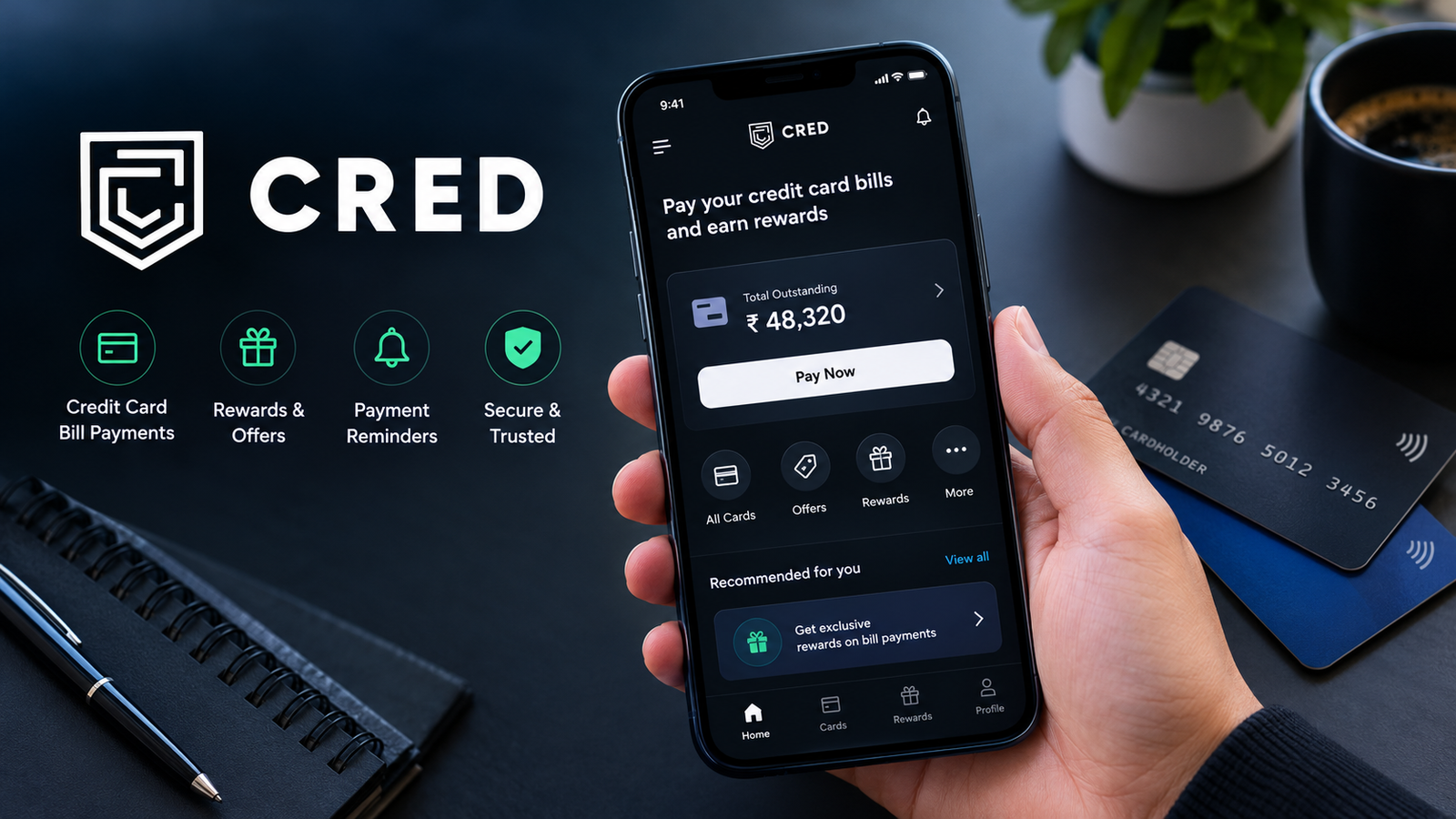
CRED App: Features, Benefits, Eligibility, and How to Use It in 2026
The CRED app is a popular Indian financial technology application designed to make credit card management, bill payments, and selected financial transactions more convenient. It is particularly known for offering rewards to eligible members who pay their credit card bills through the platform. For people who use credit cards regularly, the app provides a central place to track payments and explore available offers.
Managing several credit cards can become confusing. Payment due dates, outstanding balances, reward offers, and transaction details can be difficult to keep track of when everything is spread across different banking applications. The CRED app aims to simplify parts of this process by bringing supported credit card features together in one place.
However, rewards are not the only thing users should consider. Eligibility requirements, privacy, payment processing, and the actual value of available offers also matter when choosing a financial application.
In this guide, we will explain what the CRED app is, how it works, its main features, eligibility requirements, benefits, limitations, and important safety considerations.
What Is the CRED App?
CRED is an Indian fintech platform best known for credit card bill payments and related financial services. It was founded by Kunal Shah and launched in 2018. The platform initially focused on creditworthy consumers and has expanded its offerings over time.
Its main appeal is convenience. Eligible users can add supported credit cards, check relevant billing information, and pay outstanding bills through the app. Depending on the services available to an account, users may also find payment offers, rewards, and other financial features.
The CRED app is primarily intended for users in India. Its services, eligibility rules, and payment options may not be available to people living in other countries.
Rather than treating CRED as a guaranteed source of cashback, it is better to view it as a credit card management platform with optional rewards and additional services.

Key Features of the CRED App
The app combines several features that can help users manage their everyday financial activities. Availability may depend on account eligibility, supported banks, and the latest app version.
1. Credit Card Bill Payments
One of the best-known features of CRED is the ability to pay eligible credit card bills through the platform.
Users can add supported cards and follow the payment instructions shown in the app. This can be convenient for people who have multiple cards issued by different banks.
Before confirming a payment, check the card details, amount due, and payment status. Always allow sufficient time for processing before the bank’s due date.
2. Credit Card Management
Keeping track of multiple credit cards can be challenging. CRED offers tools that can help eligible users view relevant card and billing information in one place.
Depending on the supported card and available permissions, users may be able to review details such as outstanding balances, billing information, and payment reminders.
These tools can help users stay organized, but they should continue checking their bank’s official application or statement for authoritative account information.
3. Rewards and Offers
CRED is associated with rewards for eligible transactions, including credit card bill payments. Offers may include reward points, promotional benefits, or other incentives, depending on the current program.
The exact value of these rewards can vary. Some offers may have minimum transaction requirements, expiry dates, or redemption conditions.
Users should read the terms before making a payment solely to receive a reward. A small or conditional benefit is not necessarily worth changing an otherwise suitable payment method.
4. Payment Reminders
Missing a credit card payment deadline can result in late fees, interest, and other financial consequences. Payment reminders can help users remember upcoming bills.
However, notifications may depend on app settings, device permissions, and the information available to the platform. A reminder should be treated as an additional convenience rather than a replacement for checking the official billing statement.
5. Additional Financial Services
CRED may offer additional services beyond credit card payments, depending on the user’s account and current product availability.
These can change over time, so users should consult the latest information within the official app. Check applicable charges, eligibility rules, privacy terms, and repayment conditions before using any financial product.
Benefits of Using the CRED App
The CRED app can be useful for people who want a more organized way to manage credit card payments.
| Benefit | How it helps |
|---|---|
| Centralized card management | Makes it easier to review supported cards and related billing details. |
| Convenient bill payments | Provides another option for paying eligible credit card bills. |
| Payment reminders | Can help users remember upcoming payment deadlines. |
| Promotional rewards | May provide benefits on eligible payments or transactions. |
| Easy access to offers | Lets users explore available promotions and partner offers. |
| Digital convenience | Reduces the need to switch between several applications for supported tasks. |
The biggest advantage is convenience, particularly for users who manage multiple credit cards. Still, the usefulness of the app depends on individual spending habits and the services available to each member.
Who Is Eligible to Use the CRED App?
CRED has traditionally focused on users with qualifying credit profiles, and membership eligibility can depend on its current policies.
Potential users should review the latest eligibility requirements during registration rather than relying on older online guides.
In general, you may need to meet the following conditions:
- Have a supported Indian credit card.
- Provide the information required to create and verify an account.
- Meet CRED’s current membership or credit eligibility criteria.
- Use a compatible smartphone and an eligible payment method.
- Agree to the applicable terms and privacy policy.
Approval or access to particular features is not guaranteed. Requirements may change as the platform introduces or updates its services.
If you are not eligible for a particular feature, check whether the app provides an explanation or alternative options.
How to Download and Set Up the CRED App
Getting started is relatively straightforward, provided the service is available to you and you meet its eligibility requirements.
Step 1: Find the Official App
Search for CRED through the official Google Play Store or Apple App Store. Verify the developer information and app listing before downloading.
Avoid unfamiliar websites that offer modified APK files or claim to provide special rewards through unofficial versions.
Step 2: Register Your Account
Open the application and follow the registration instructions. Enter only the information requested through the verified app and complete any required verification steps.
Use a mobile number and other account details that you can access when needed.
Step 3: Complete Eligibility Checks
Follow the instructions provided by CRED to determine whether you qualify for membership and the features you want to use.
Read the relevant permissions and privacy disclosures before continuing.
Step 4: Add a Supported Credit Card
If you qualify, follow the in-app instructions to add your credit card. Review the card information carefully and provide only the permissions necessary for the services you choose to use.
Never share your card PIN, banking password, or one-time password with another person claiming to offer assistance.
Step 5: Review Your Bill and Make a Payment
Select the relevant card, check the amount due, and follow the payment instructions. Confirm that the transaction has been submitted successfully.
Afterward, check the payment status in CRED and verify the credit in your card issuer’s official application or account statement.
Is the CRED App Safe to Use?
The CRED app is an established Indian fintech platform, but users should still understand how their information is collected and processed before connecting financial accounts.
CRED’s official privacy policy explains that certain services may require personal information, credit information, financial details, or permissions to access relevant email and SMS data. Some of these permissions are optional and depend on the feature you choose.
To use the app more safely, follow these precautions:
- Download the application only from a verified app store or the official CRED website.
- Read the privacy policy before granting access to email, SMS, contacts, or other device features.
- Never share your UPI PIN, card PIN, password, or OTP with anyone.
- Check payment amounts and recipient details before confirming a transaction.
- Review transaction confirmations through your bank or card issuer.
- Avoid clicking suspicious messages claiming to offer free CRED rewards.
- Keep your phone and application updated.
You can review the official CRED Privacy Policy to understand its data practices.
No financial application is entirely risk-free. Use the permissions you are comfortable with, and avoid sharing unnecessary information.
Limitations of the CRED App
Although CRED offers useful features, it may not be the right choice for everyone.
Rewards Are Not Guaranteed
Rewards depend on current offers, eligibility, and applicable terms. CRED Coins or other promotional benefits should not be treated as guaranteed cash or a fixed percentage of cashback.
Membership May Be Restricted
Not every applicant will qualify for every CRED service. The platform may assess credit information and apply eligibility criteria before granting access to certain features.
Payments Can Be Delayed
Payments may take time to reflect in a credit card account because of processing delays, banking issues, or payment partner interruptions.
For this reason, avoid waiting until the last minute to pay a credit card bill. Keep your payment receipt and contact the relevant support team if the transaction remains unresolved.
Data Access Requires Careful Review
Some features may request access to financial information or connected accounts. Users should understand what they are authorizing and whether the feature is worth the information being shared.
Offers and Services Can Change
Features, partner offers, reward values, and eligibility rules may change over time. Information published in older articles may not reflect the latest version of the application.
CRED App vs. Traditional Banking Apps
Both CRED and banking applications can help users make payments, but they serve somewhat different purposes.
| Feature | CRED app | Bank’s official app |
|---|---|---|
| Credit card bill payments | Available for supported cards and payment methods | Available according to the bank’s services |
| Card management | Can bring supported card information together | Usually focuses on that bank’s products |
| Rewards | Offers may be available under specific conditions | Depends on the bank and card program |
| Official account records | Should be verified with the card issuer | Provides the issuer’s own account information |
| Banking services | Depends on the specific CRED service | Depends on the bank’s products |
| Best suited for | Convenience and supported financial features | Direct access to your bank or card account |
Neither option is automatically better for every user. Someone with several credit cards may appreciate CRED’s centralized features, while another person may prefer managing everything through their bank.
You can also use both, provided you understand the payment process and avoid accidentally paying the same bill twice.

Tips for Getting the Most Out of the CRED App
If you decide to use CRED, a few simple habits can make the experience more useful.
1. Compare rewards before paying. Check the terms of an offer and compare its actual value with other available payment methods.
2. Pay before the due date. Initiate payments early enough to account for processing delays. Do not rely entirely on reminders.
3. Track your spending. Review your credit card statements regularly to understand where your money goes and identify unexpected transactions.
4. Pay your full outstanding balance when possible. Paying only the minimum amount due can leave a balance that attracts interest and other charges. Follow your card issuer’s terms.
5. Check every transaction. Confirm the card, payment amount, and payment status before assuming a bill has been settled.
6. Review permissions periodically. Disable optional permissions you no longer need, where possible, and review connected accounts in your settings.
7. Do not spend more to earn rewards. A reward is rarely worthwhile if it encourages unnecessary purchases or additional debt.
These habits are useful whether you pay through CRED, your bank’s application, or another supported payment service.
Frequently Asked Questions About the CRED App
1. What is the CRED app used for?
The CRED app is an Indian fintech application primarily known for credit card bill payments, card management, payment reminders, and eligible rewards. Additional features may be available depending on the user’s account and current service offerings.
2. Is the CRED app free to download?
The application can generally be downloaded without a separate purchase price through official app stores. However, particular services or transactions may have applicable fees or conditions. Check the charges displayed before confirming any transaction.
3. Can anyone join the CRED app?
No. Access to membership and specific services may depend on CRED’s eligibility requirements and assessment of credit information. Applicants should check the current criteria during registration.
4. Does the CRED app provide real cashback?
CRED offers rewards and promotional benefits under specific programs. However, rewards may be issued as points, discounts, or other benefits rather than unrestricted cash. Read the terms of each offer to understand its actual value and redemption conditions.
5. Is the CRED app available outside India?
CRED primarily serves the Indian market, and its core services are designed around Indian financial systems. Availability, registration, and payment functionality may be restricted for people outside India.
6. What should I do if a CRED payment is delayed?
Check the transaction status in CRED and your card issuer’s official application. Keep the transaction reference and payment confirmation. If the payment does not appear within the expected processing period, contact official support. Avoid making a duplicate payment until you have checked the status and confirmed what is required.
Final Thoughts
The CRED app can be a convenient option for eligible Indian users who want to manage credit card bills, review supported card information, and access occasional rewards. Its main appeal is bringing several credit card-related tasks into one digital platform.
However, rewards should not be the only reason to use it. Payment reliability, privacy, eligibility, and the terms of individual offers are equally important. Always verify that your bill has been paid successfully, and maintain enough time before the due date to resolve any processing issue.
Also Read: Shopsy App: Features, Shopping Benefits, Download Guide, and Safety Tips













1 comment