Seal APK: Features, Overview, and What Android Users Should Know
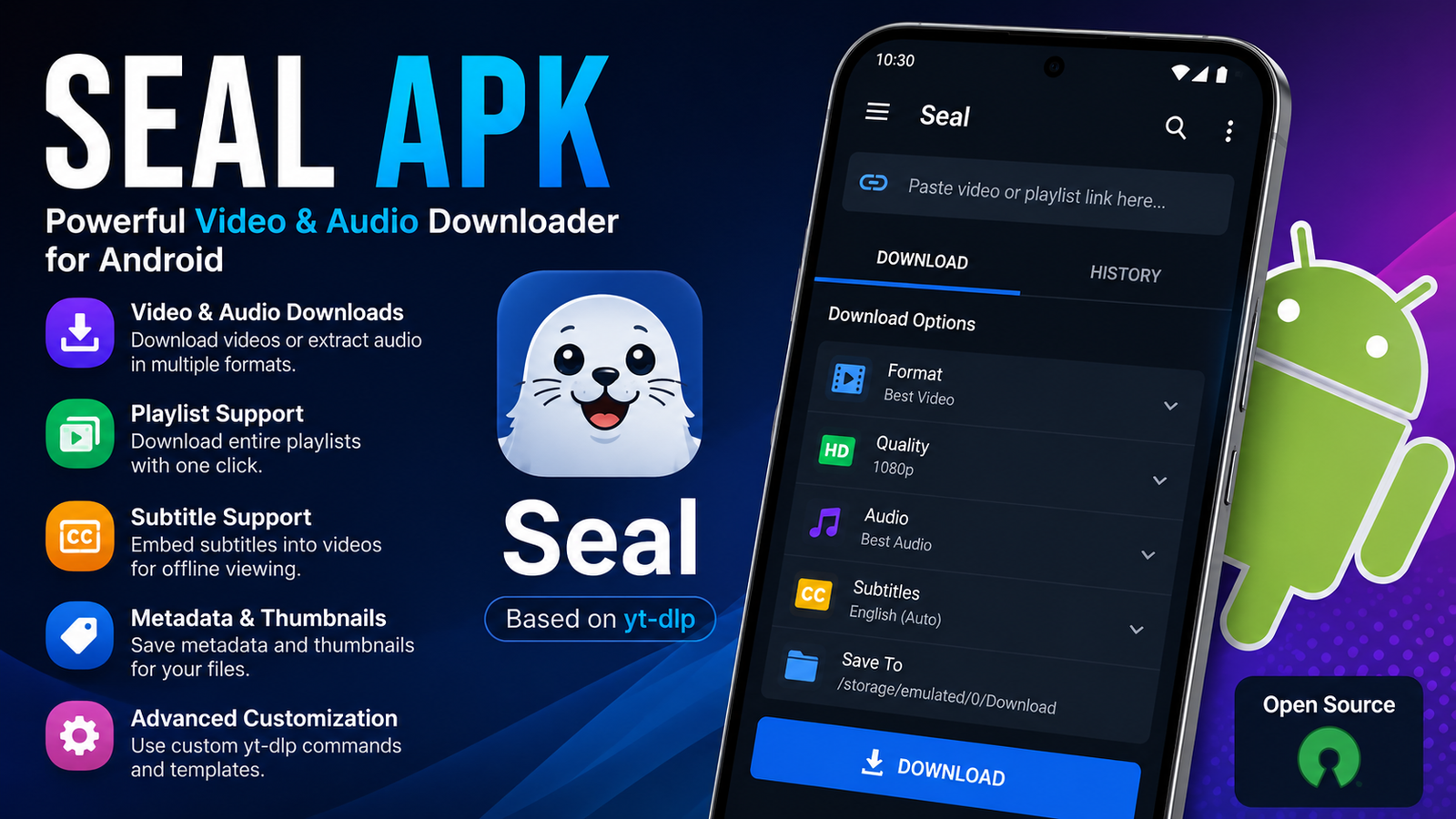
If you are searching for a flexible way to download supported video and audio content on Android, SealAPK is an app worth exploring. Seal is an open-source Android downloader built around yt-dlp, giving users a convenient graphical interface instead of requiring them to work with complicated command-line instructions.
The app is designed for Android users who want more control over their downloads. It supports features such as video and audio downloads, playlists, subtitles, metadata, thumbnails, custom yt-dlp commands, and in-app download management.
Unlike many simple downloader applications, Seal focuses on flexibility while maintaining a relatively clean and easy-to-use interface. Its Material Design-based interface also helps make advanced downloading features more approachable for everyday Android users.
This guide covers the main features of Seal, how it works, its advantages and limitations, safety considerations, and what users should know before installing an APK version.
What Is Seal APK?
Seal is a free and open-source video and audio downloader designed specifically for Android. It works as a graphical user interface for yt-dlp, allowing users to access many of its capabilities without having to type commands manually.
The official project describes Seal as a video and audio downloader for Android based on yt-dlp. It supports content from platforms that are compatible with yt-dlp, although availability can change as websites update their systems.
The term SealAPK generally refers to the Android installation package used to install the application outside a traditional app store environment.
However, users should be careful when searching for APK files online. Not every file using the Seal name is necessarily an official or trustworthy build. Modified, outdated, or repackaged applications can create security and compatibility problems.
For the best experience, Android users should pay attention to the source of the application and avoid suspicious modified versions.
How Does Seal Work?
Seal provides a graphical interface for yt-dlp. In simple terms, it takes a process that can normally require command-line knowledge and presents it through an Android-friendly application.
A typical workflow is straightforward:
- Copy the URL of supported online content.
- Open Seal on your Android device.
- Add the URL to the application.
- Select the available download options.
- Choose the desired output settings.
- Start the download.
- Access the completed file from your device.
The exact options available can vary depending on the website, video, audio format, and other technical factors.
This makes Seal useful for both casual users and people who want more advanced control over their downloads.
Key Features of Seal APK
One of the biggest reasons Android users are interested in Seal is its wide range of features. The application is not limited to a simple download button.
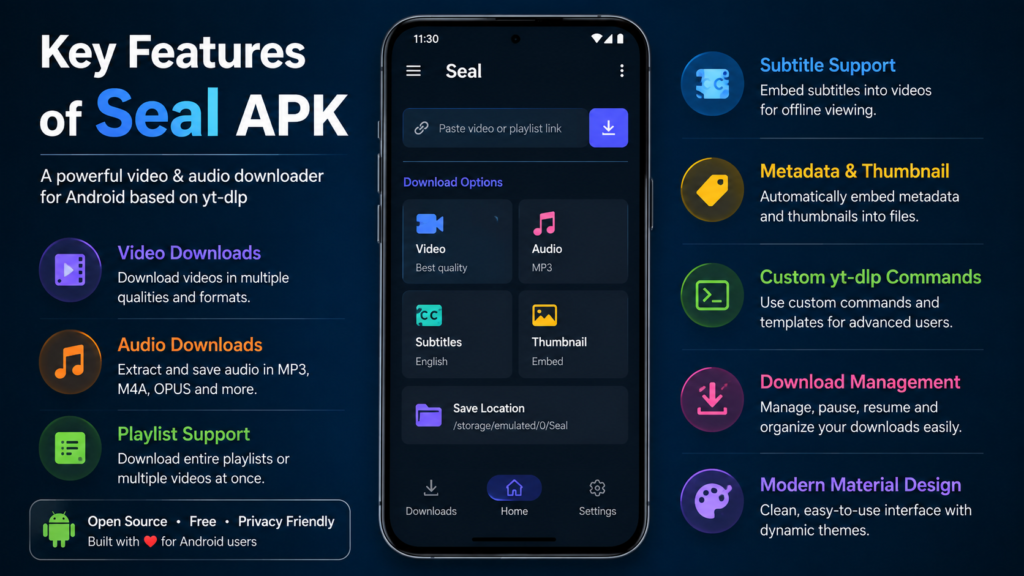
Its official project lists support for video and audio downloads, playlists, subtitles, metadata, thumbnails, custom yt-dlp commands, download management, and other functions.
Video and Audio Downloads
The primary purpose of Seal is downloading supported video and audio content.
Users can work with different formats and quality options when those choices are available from the source.
This gives users more flexibility than basic download applications that automatically select one format.
For example, someone saving a video for legitimate offline use may prefer a smaller resolution to save storage space, while another user may want a higher-quality version when sufficient storage is available.
Playlist Downloads
Downloading videos individually can become frustrating when dealing with a large playlist.
Seal includes playlist support, allowing users to process multiple videos instead of manually handling every item.
This can be particularly useful for educational playlists, personal content, or media that the user has permission to save.
Playlist downloading can also save time because the user does not have to repeat the same process for every video.
Audio Extraction
Seal can also be used for audio-focused downloads.
When supported by the source, users can choose an audio output instead of keeping the complete video.
This can be helpful when the visual portion of a video is unnecessary. It can also reduce the amount of storage required compared with saving a full video.
The available output options depend on the source and the formats that yt-dlp can process.
Subtitle Support
Subtitles are another useful part of Seal’s feature set.
The application can embed subtitles into supported downloaded videos. This can be useful for educational content, interviews, tutorials, and other videos where captions improve the viewing experience.
For users who depend on subtitles, having this option available during the download process can make saved media more convenient to use later.
Metadata and Thumbnail Support
Seal can embed metadata and video thumbnails into extracted audio files when supported.
This feature may seem minor, but it becomes useful when managing a large collection of downloaded audio.
Instead of seeing a collection of files with limited information, supported metadata can make the files easier to identify and organize in compatible media players.
Custom yt-dlp Commands
Advanced users have another important feature available: custom yt-dlp commands.
Because Seal is built around yt-dlp, experienced users can take advantage of additional customization through command templates.
This makes the application suitable for different levels of experience.
A beginner can use the normal interface without learning command syntax, while an advanced user can explore more detailed configurations.
Download Management
Seal includes in-app download management, giving users a central place to monitor their downloads.
This can be convenient when several files are being processed at once.
Instead of constantly checking different folders or notifications, users can manage download activity through the application.
Material Design Interface
The user interface is another important part of the experience.
Seal uses a Material Design 3-style interface with dynamic theming, giving the application a modern Android appearance.
The interface is designed to make the application’s powerful underlying technology easier to use.
This is especially helpful for Android users who have never worked with command-line downloading tools before.
Seal APK Features at a Glance
| Feature | Description |
|---|---|
| Video downloads | Downloads supported online video content |
| Audio downloads | Provides audio-focused download options |
| Playlist support | Allows multiple playlist items to be processed |
| Subtitle support | Can embed subtitles into supported videos |
| Metadata | Helps preserve useful media information |
| Thumbnail support | Can add thumbnails to supported audio files |
| Custom commands | Offers additional yt-dlp customization |
| Download management | Helps manage downloads within the application |
| Modern interface | Uses a Material Design-based Android interface |
| Open source | The project source code is publicly available |
These features make Seal considerably more flexible than a basic one-purpose downloader.
Why Android Users May Prefer Seal
There are several reasons why Seal has become interesting to Android users.
The first is simplicity. yt-dlp itself is a powerful tool, but command-line software is not comfortable for everyone. Seal puts a graphical interface between the user and the underlying technology.
The second advantage is customization. Users are not necessarily locked into one automatic download setting.
The third is its open-source nature. Users can inspect the publicly available project source code, while contributors can participate in its development.
Another advantage is that Seal caters to different types of users.
Someone who only needs basic downloading can use the standard interface, while experienced users can explore advanced yt-dlp options.
Is Seal APK Free?
Yes. Seal is designed as a free and open-source application.
The project is released under the GPL-3.0 license, and its developers describe it as free and open source.
However, users should distinguish between the official open-source project and third-party APK files.
A website offering a file called “Seal APK” does not automatically mean that the file is an official release.
This is particularly important when a website claims that an APK is “premium,” “unlocked,” or “modified.”
Such versions may contain changes that are not part of the original project.
Is Seal APK Safe?
The official Seal project is open source, which provides greater transparency than an application whose source code is completely unavailable.
However, safety also depends on where the application file comes from.
A genuine release from a recognized project source is very different from an APK that has been modified and uploaded by an unknown third party.
Android users should follow some basic precautions:
- Download applications from reputable sources.
- Avoid suspicious modified APK versions.
- Be careful with applications requesting unnecessary permissions.
- Keep Android and security updates current.
- Check the application package before installation.
- Avoid opening suspicious files downloaded from unknown sources.
It is also important to understand that an open-source application does not automatically make every unofficial copy safe.
The original software and third-party repackaged versions should always be treated separately.
Where Does Seal Get Its Downloading Power?
The main technology behind Seal is yt-dlp.
yt-dlp is a widely used command-line media downloader capable of working with numerous supported websites.
Seal provides a graphical Android interface around this technology.
This is an important reason the app can offer more flexibility than many basic downloaders.
At the same time, it means Seal’s compatibility can depend on changes made by online platforms.
Websites regularly change their video delivery systems, authentication methods, or technical structures. When that happens, downloading tools may require updates to continue working correctly.
Common Limitations to Know
Although Seal has many useful features, it is not guaranteed to work perfectly with every website at all times.
Compatibility depends partly on yt-dlp and the individual platform being accessed.
If a website changes its technical system, a particular download may stop working until the underlying extraction support is updated.
There can also be situations where only certain video qualities or formats are available.
For example, users may occasionally find that a particular resolution is missing or that an extraction attempt produces an error.
This is not necessarily a problem with the Android interface itself. It can be caused by changes on the source platform or limitations in the available media formats.
Tips for Using Seal More Effectively
Getting the most out of Seal does not require complicated knowledge, but a few habits can make the experience smoother.
Choose the Right Quality
Higher video quality usually means larger files.
If you are downloading videos for viewing on a smartphone, extremely high resolutions may not always be necessary.
Choosing a reasonable resolution can save both storage space and download time.
Check Storage Before Large Downloads
Long videos and playlists can occupy significant storage.
Before downloading several files at once, check how much free space is available on your Android device.
This is especially important when downloading high-resolution videos.
Use Wi-Fi for Large Files
Video downloads can consume considerable mobile data.
For large downloads or complete playlists, Wi-Fi is generally more practical than a limited mobile data connection.
Keep the Application Updated
Because Seal relies on yt-dlp and interacts with constantly changing online platforms, updates can be important.
If a previously supported download suddenly stops working, checking whether a newer version is available can be a sensible first step.
Use Downloads Responsibly
The ability to download content does not necessarily mean you have permission to redistribute or reuse it.
Always respect copyright, platform rules, and the rights of content creators.
Use the application for content you are legally allowed to download.
Who Should Use Seal?
Seal can be a good option for Android users who want more control over video and audio downloads.
It may be particularly suitable for people who:
- Prefer open-source applications.
- Want a dedicated Android downloader.
- Need video and audio options.
- Frequently work with playlists.
- Want subtitle support.
- Like having metadata and thumbnail options.
- Want more customization than basic downloaders provide.
- Are comfortable exploring advanced settings.
It may not be the best choice for someone who wants a very basic application with almost no settings.
Seal provides flexibility, and that naturally means there are more options to understand.
Seal APK Compared With Simple Downloaders
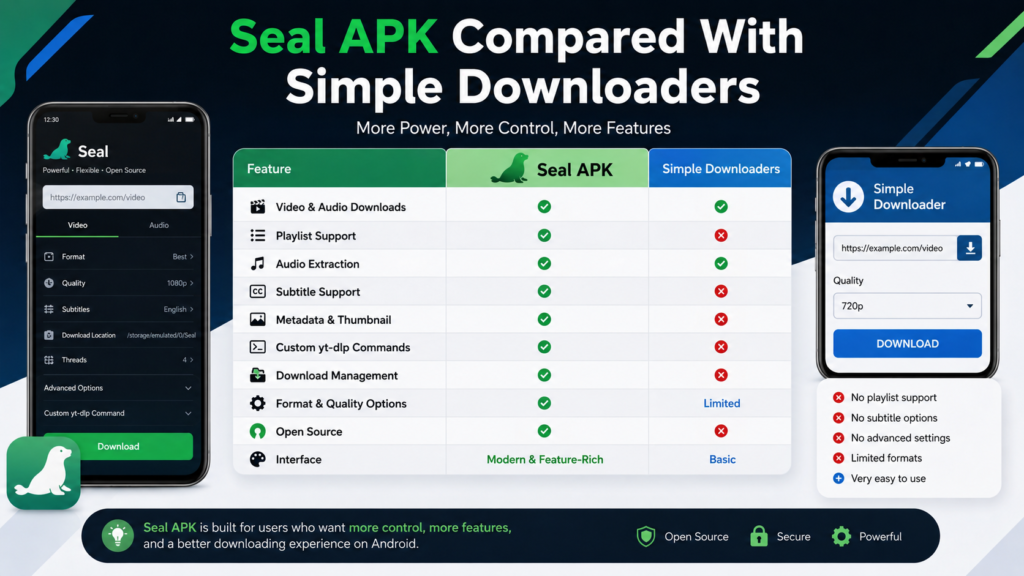
Basic online downloaders usually focus on one workflow: paste a URL, select an option, and download the resulting file.
Seal takes a more advanced approach.
It provides a dedicated Android environment with download management, playlist handling, subtitle options, metadata support, and custom yt-dlp commands.
This makes it more powerful, but also potentially more complicated for first-time users.
The choice therefore depends on what you need.
If you only download something occasionally, a simple tool may be enough. If you regularly manage supported video or audio downloads and want additional control, Seal can offer a more complete experience.
Frequently Asked Questions
What is Seal APK?
Seal APK refers to the Android installation package associated with the Seal video and audio downloader. Seal is an open-source Android application based on yt-dlp and provides a graphical interface for supported downloading tasks.
Is Seal APK free?
Yes. The Seal project is free and open source. It is released under the GPL-3.0 license.
Does Seal support playlists?
Yes. Playlist downloading is one of Seal’s notable features. Users can process multiple videos from a supported playlist instead of handling every item individually.
Can Seal download audio?
Yes. Seal supports audio downloads and audio extraction when supported by the source and available formats.
Does Seal support subtitles?
Yes. The application supports embedding subtitles into downloaded videos when compatible subtitle data is available.
Why might a Seal download fail?
A download can fail for several reasons, including changes to the source website, unsupported URLs, unavailable formats, authentication requirements, outdated extraction components, or other technical restrictions. Updating the application can sometimes resolve compatibility problems, but not every issue can be fixed from the Android app itself.
Final Thoughts
Seal is an interesting option for Android users who want a flexible video and audio downloader without dealing directly with command-line tools.
Its combination of yt-dlp, playlist support, audio extraction, subtitle handling, metadata, thumbnails, custom commands, and download management gives it considerably more functionality than a simple downloader.
The open-source nature of the project is another advantage for users who value transparency and community-driven software.
At the same time, Seal is not a magic solution for every online platform. Compatibility can change as websites update their technology, and users may occasionally encounter unavailable formats or download errors.
For the best experience, use a reputable version of the application, keep it updated, choose sensible download settings, and respect copyright and platform rules.
For Android users looking for a feature-rich and customizable downloader, Seal remains a noteworthy option worth understanding.
Also Read: Zon APK: Features, Overview, and What Users Should Know











1 comment