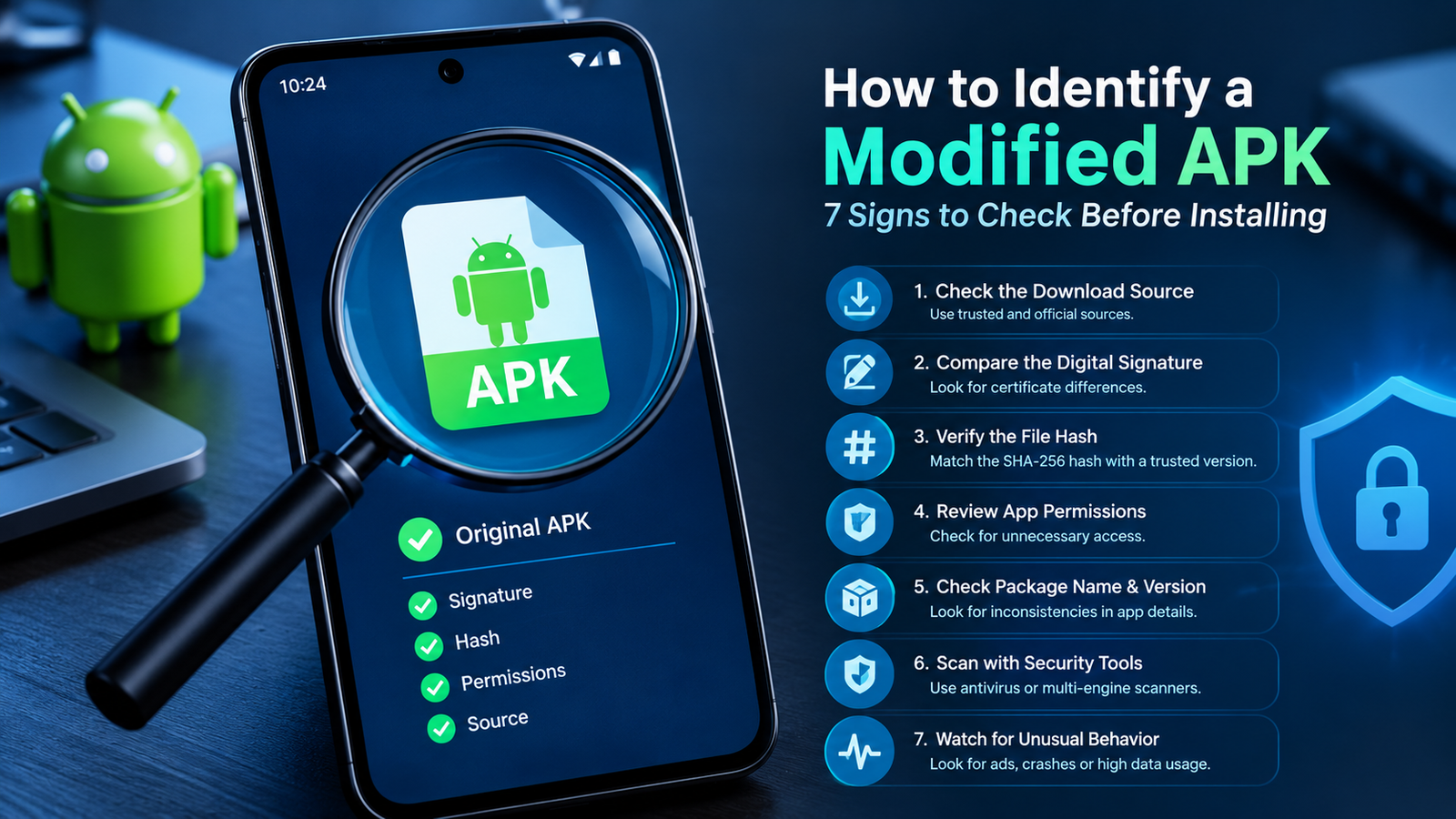
How to Identify a Modified APK: 7 Signs to Check Before Installing
Android users often download APK files when an app is unavailable in their region, when they need a specific version, or when they want to explore features that are not included in the standard release. However, not every APK file available online is identical to the original app. Some files have been modified by third parties, and those changes may introduce security risks.
Learning how to identify a modified APK can help you make safer decisions before installing an application on your Android phone. A modified APK may contain altered code, additional permissions, unwanted advertisements, tracking components, or potentially harmful software. Some modifications are relatively harmless, while others can compromise your privacy and device security.
The good news is that you do not need to be an Android developer to perform basic checks. By examining the download source, app permissions, digital signature, file hash, and behavior of an APK, you can identify warning signs before deciding whether to install it.
This guide explains seven practical methods to recognize modified APK files, the tools you can use, and the limitations of each check.
What Is a Modified APK?
An APK, short for Android Package Kit, is the file format Android uses to distribute and install applications. It contains the app’s code, resources, manifest, and other components needed for installation.
A modified APK is an application package that has been changed from its original version. These changes may be made by developers, independent modders, or unknown third parties.
For example, a modified version of a popular game might claim to provide unlimited coins, while a modified social media app might advertise extra customization options. However, the same process of changing an APK can also be used to add unwanted or malicious functionality.
Not every modified APK is automatically dangerous, and not every unofficial APK contains modifications. The important question is whether the file comes from a trustworthy source and whether its contents match the version you intended to download.
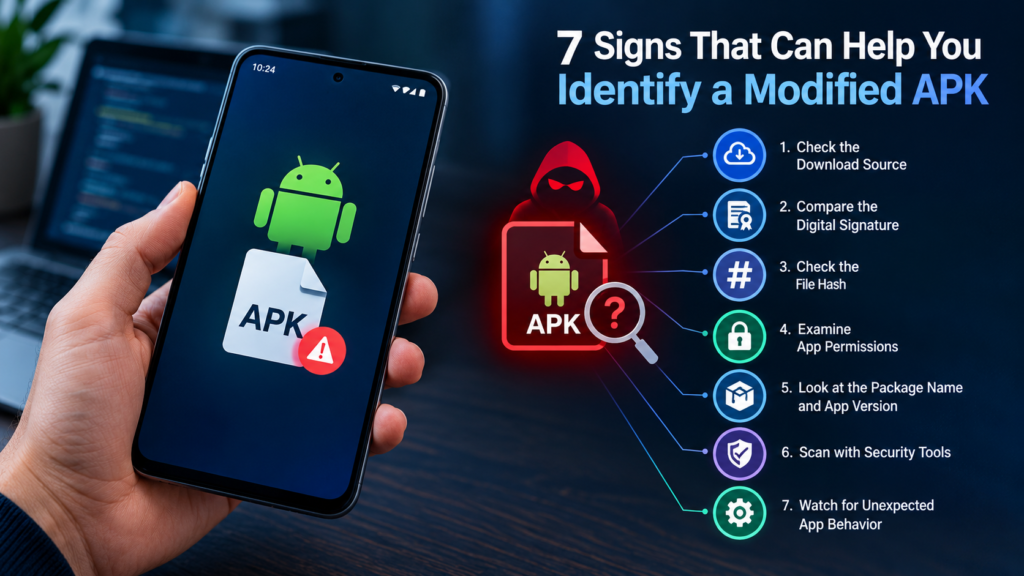
7 Signs That Can Help You Identify a Modified APK
1. Check the APK Download Source
The first step in identifying a modified APK is checking where the file came from. Download sources can provide useful clues about whether an APK is likely to be authentic.
Whenever possible, obtain Android applications from Google Play or the developer’s official website. These sources generally provide a stronger basis for trust than anonymous download pages.
Be cautious if a website:
- Promises paid features for free without explaining how the app works.
- Advertises unlimited premium access or other unrealistic benefits.
- Provides APK files through unfamiliar redirects or shortened links.
- Does not identify the developer or explain the app’s origin.
- Offers several unexplained versions with identical names.
A professional-looking website does not guarantee that a file is safe. Likewise, an APK from an unofficial website is not necessarily modified. Treat the source as your first clue, not your final verdict.
2. Compare the App’s Digital Signature
A digital signature is one of the most useful ways to determine whether an APK was signed by the same developer as a known original version.
Android APKs are digitally signed. When someone changes an APK’s contents, the original signature generally becomes invalid. To distribute the changed package, the person making the modification will typically need to sign it again.
This means a modified APK may have a different signing certificate from the original application.
You can examine an APK signature using Android SDK Build Tools, which include the apksigner utility. On a computer with the Android SDK installed, run:
apksigner verify --verbose --print-certs app.apkReplace app.apk with the path to your downloaded file.
The output includes signature verification information and certificate details. Compare the certificate with information from a trusted original APK of the same application.
Important: A different certificate is a warning sign when you expect an unchanged official release, but it does not prove malicious activity. Legitimate developers can change signing certificates during an authorized key upgrade or app migration. Some app-distribution systems also use different signing arrangements.
A matching certificate is useful evidence, but it does not independently prove that every component of an APK is safe.
3. Compare the APK File Hash
A file hash is a digital fingerprint calculated from the contents of a file. Even a small change to an APK will normally produce a different SHA-256 hash.
This makes hash comparison useful when checking whether a downloaded file is identical to a trusted reference file.
On Windows, you can calculate an APK’s SHA-256 hash using PowerShell:
Get-FileHash .\app.apk -Algorithm SHA256On macOS or Linux, use:
shasum -a 256 app.apkCompare the resulting value with the hash published by the developer or another source you independently trust.
| Hash comparison result | What it means |
|---|---|
| Hashes match exactly | The files are identical with extremely high confidence, assuming a reliable hash calculation. |
| Hashes differ | The files are not identical; the cause could be a modification, a different version, or a different build. |
| No trusted reference hash exists | You cannot establish authenticity through hash comparison alone. |
| The website supplies a hash without a trustworthy source | The comparison offers limited assurance because the hash itself may be unreliable. |
A matching hash proves that two files have the same contents with extremely high confidence. It does not prove that the reference file itself is safe. For this reason, always consider where the reference hash came from.
4. Examine App Permissions
Permissions can reveal whether an application requests access that seems unnecessary for its advertised purpose.
For example, a basic flashlight app may have little reason to request continuous location access, while a navigation app has a clear reason to use location services.
Before installing an APK, review its requested permissions. You can inspect the app manifest using tools such as Android SDK tools or an APK analysis utility.
Look more closely when an application requests access to:
- SMS messages or call logs without a clear reason.
- Contacts, microphone, or camera features unrelated to its purpose.
- Accessibility services that could control parts of the device.
- Notification access or permission to display over other apps.
- Broad file access that appears unnecessary for its functionality.
Some permissions are legitimate for specific features, and modern Android versions handle many permissions differently. Therefore, a permission is not proof that an APK has been modified.
Instead, compare the permissions with those of the official application and investigate any unexplained differences.
5. Inspect the Package Name and App Version
Every Android application normally has a package name that identifies it, such as com.example.app. The package name, version information, and application label can help you distinguish an original release from a suspicious copy.
Check the following details:
- Package name: Does it match the expected application?
- Version name: Is the version consistent with the developer’s release information?
- Version code: Does it make sense for the claimed release?
- Developer information: Does the source identify the legitimate publisher?
- App label and icon: Do they match the expected app?
A modified APK may retain the original package name to look authentic. Other modified versions may use a different package name so they can be installed alongside the official app.
Neither situation proves that the file is malicious. Developers can legitimately change package identifiers between separate editions, and unofficial builds may intentionally use different identifiers.
Treat inconsistencies as reasons to investigate further rather than as conclusive evidence.
6. Scan the APK With Reputable Security Tools
Security scanning is another practical way to identify potentially harmful APK files. A reputable mobile security application or a multi-engine file-scanning service may detect known malware, suspicious code, or other security concerns.
For example, you can check whether a service such as VirusTotal supports analysis of the file you want to examine.
Before uploading an APK to an online scanning service, remember that the file may be shared with security partners or researchers according to that service’s policies. Avoid uploading private, proprietary, or confidential application packages without permission.
When reviewing scan results, look for:
- Multiple independent detections of the same suspicious behavior.
- Warnings about known malware families.
- Reports of spyware, credential theft, or unwanted advertising.
- A clean result accompanied by other signs that the file is trustworthy.
A single detection can be a false positive, especially for unusual or heavily modified applications. On the other hand, zero detections does not guarantee safety. New threats and carefully disguised modifications may evade detection.
Use security scanning alongside signature, hash, and permission checks rather than relying on one result.
7. Look for Unexpected Changes in App Behavior
If an application is already installed, unexpected behavior may provide additional clues that it has been modified or compromised.
Possible warning signs include:
- Advertisements appearing outside the app’s normal interface.
- Unexplained battery drain or unusually high mobile data usage.
- Requests for new permissions without an obvious reason.
- Unexpected redirects to unfamiliar websites.
- Unusual background activity or repeated crashes.
- Login screens that look different from the legitimate service.
These symptoms are not definitive proof of a modified APK. Bugs, outdated software, aggressive advertising, or problems with the device can cause similar behavior.
If you suspect an application is unsafe, stop using it, review its permissions, and uninstall it if appropriate. If you entered a password into a suspicious app, change that password through the service’s official website or trusted application. Enable two-factor authentication where available.
For serious concerns, run a security scan and check your device for other unfamiliar applications.
Best Tools for Identifying a Modified APK
Different tools answer different questions. Using two or more independent methods usually provides a clearer picture than relying on a single check.
| Tool or method | Main purpose | Important limitation |
|---|---|---|
Android SDK apksigner | Verifies signatures and displays certificate information | Requires technical setup and a trusted certificate for comparison |
| SHA-256 hash utility | Compares file integrity against a reference | Needs a trustworthy reference hash |
| APK Analyzer or manifest inspection tools | Examines package details, permissions, and APK contents | Findings may require technical interpretation |
| VirusTotal | Checks supported files against multiple security engines | A clean report cannot guarantee safety |
| Google Play Protect | Helps detect potentially harmful installed apps | Does not guarantee that every modified APK will be detected |
| Official developer release information | Helps verify version and publisher details | Some developers do not publish hashes or certificate fingerprints |
For beginners, start with the download source, app permissions, and a reputable security scan. More advanced users can compare hashes and signing certificates to investigate authenticity more thoroughly.
Can You Identify a Modified APK Without Installing It?
Yes. You can perform several useful checks without installing the APK on your phone.
Start by downloading the file only from a source you can reasonably trust. Then, without opening or installing it, you can:
- Calculate its SHA-256 hash.
- Verify its digital signature and inspect the signing certificate.
- Examine its package name, version details, and manifest.
- Review the requested permissions.
- Scan it with a reputable security service that supports APK analysis.
- Compare these findings with a trusted original release.
These checks can identify inconsistencies before installation. However, determining whether a file has been modified requires a reliable reference. Without one, you may be able to identify suspicious behavior or technical warning signs, but you cannot always establish whether the APK is an authorized, unchanged release.
Avoid installing an APK simply to see what it does. If deeper dynamic analysis is necessary, it should be performed in a properly isolated testing environment by someone who understands the risks.
Modified APK vs. Original APK: Key Differences
| Feature | Original APK | Modified APK |
|---|---|---|
| Source | Usually distributed by the developer or an authorized store | Often distributed by a third party, although legitimate custom builds also exist |
| Digital signature | Matches the expected signing identity for that release | May have a different signature or signing certificate |
| File hash | Matches the trusted reference file for the same build | Differs if the contents have changed |
| Permissions | Consistent with the intended features, though not necessarily minimal | May contain added or changed permissions |
| Code and resources | Correspond to the expected release | May contain altered code, resources, or configuration |
| Security status | Still requires normal security precautions | Risk depends on the changes and the source |
One important distinction is that a different hash does not automatically mean an APK is modified in a harmful way. Two official releases can have different hashes because they contain different versions, configurations, or builds.
Similarly, a modified APK is not automatically malware. The key concerns are unauthorized changes, unknown code, untrustworthy distribution, and behavior that puts your data or device at risk.
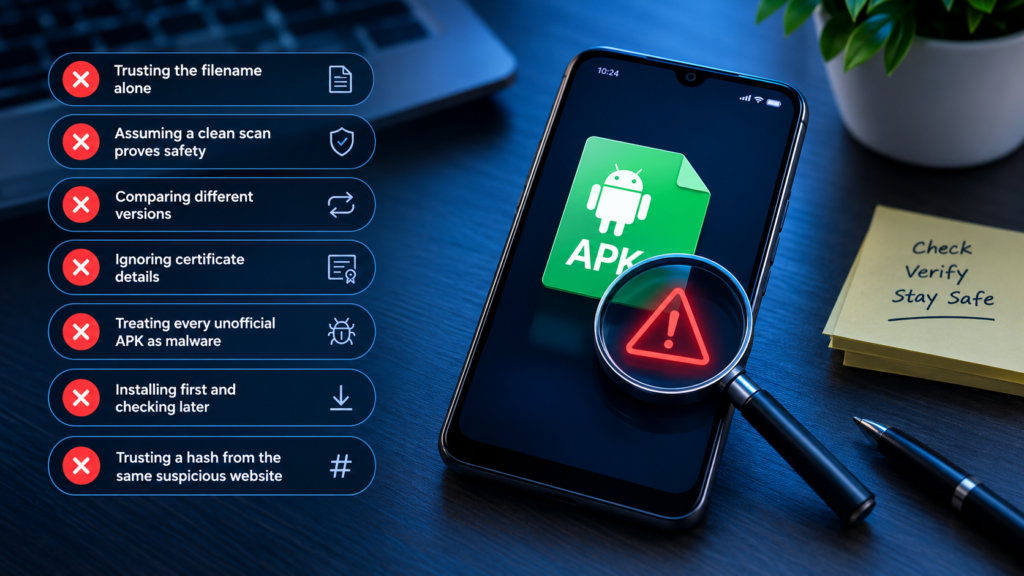
Common Mistakes to Avoid When Checking APK Files
Even careful users can misinterpret the results of APK verification. Avoid these common mistakes:
- Trusting the filename alone: Anyone can rename an APK to resemble an official release.
- Assuming a clean scan proves safety: Security tools can miss unknown threats.
- Comparing different versions: Different official builds normally have different hashes.
- Ignoring certificate details: A signature check is more useful when compared with a trusted original.
- Treating every unofficial APK as malware: Unofficial distribution and malicious modification are different issues.
- Installing first and checking later: Inspecting the file before installation reduces unnecessary risk.
- Trusting a hash from the same suspicious website: An attacker may provide both the altered file and a matching hash.
A careful verification process combines independent evidence and recognizes the limitations of every individual test.
Frequently Asked Questions
1. How can I tell if an APK is modified?
Check its download source, digital signature, SHA-256 hash, package information, permissions, and security scan results. Comparing the file against a trusted original release is especially useful. No single indicator can establish every aspect of authenticity or safety.
2. Does a different APK signature mean the file is fake?
Not necessarily. A different signing certificate can indicate that an APK was re-signed after modification, but legitimate certificate changes and separate official builds are also possible. Compare the certificate with reliable information for the exact app and release.
3. Can a modified APK contain a virus?
Yes. An altered APK can contain spyware, credential-stealing code, unwanted advertising components, or other malware. However, some modifications are non-malicious. The risk depends on what was changed, who made the changes, and whether the file can be trusted.
4. Is a modified APK safe if its antivirus scan is clean?
No scan can guarantee complete safety. A clean result means the tools used did not identify a threat at that time. Unknown malware, hidden functionality, and other security issues may still exist, so verify the source and inspect other available evidence.
5. Can I check an APK hash on my Android phone?
Yes. Some Android utilities and file-analysis applications can calculate SHA-256 hashes. You can also transfer the APK to a computer and use a built-in command-line utility. The calculated hash is useful only when you have a trustworthy reference value for comparison.
6. What is the safest way to download Android apps?
Prefer Google Play or the application’s official website. Keep Android and your security tools updated, review permissions, and avoid files from unknown websites. If you must use an alternative source, verify the APK’s signature and hash whenever trustworthy reference information is available.
Final Thoughts
Knowing how to identify a modified APK is an important skill for anyone who installs Android applications outside the usual app-store process. A file’s name, icon, or download page cannot establish that it is authentic.
The strongest approach is to combine several checks: confirm the source, compare the signing certificate, verify the SHA-256 hash against a trusted reference, examine permissions, and review security scan results. Each method provides different information, and together they can reveal inconsistencies that might otherwise go unnoticed.
Also Read: BeeTV App: Features, Installation Guide, Compatibility, and Safety Tips











Post Comment