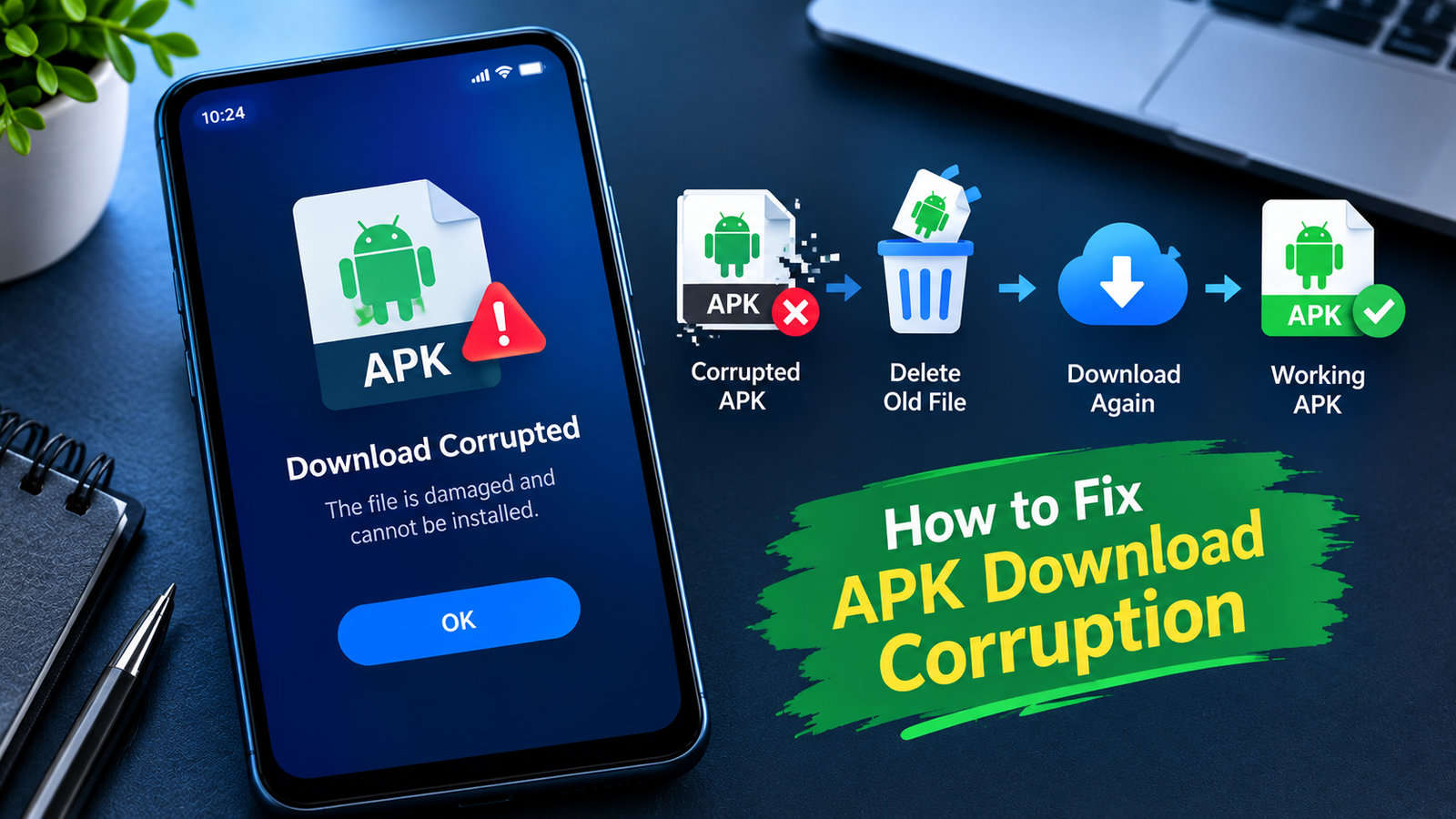
How to Fix APK Download Corruption: 9 Easy Ways to Get a Working APK
Downloading an APK file can be useful when an app is unavailable through Google Play or when you need a specific app version. However, sometimes the downloaded file becomes corrupted, incomplete, or damaged during the download process. When that happens, Android may refuse to install the APK or display an error.
If you are wondering how to fix APK download corruption, the good news is that the problem is often easier to solve than it appears. A weak internet connection, interrupted download, insufficient storage, browser problems, or an unreliable download source can all cause APK corruption.
This guide explains the most common causes and practical ways to fix a corrupted APK download. It also shows how to reduce the chances of the same problem happening again.
What Does APK Download Corruption Mean?
APK download corruption means that the APK file stored on your device is incomplete or contains damaged data. An APK is essentially an Android application package, and Android needs the package to remain intact before it can install it correctly.
A corrupted APK may produce symptoms such as:
- The installation stops before completion.
- Android says the app cannot be installed.
- A parsing or package error appears.
- The APK file size looks unusually small.
- The download keeps restarting or failing.
- The file cannot be opened or verified.
- The app installs but crashes immediately.
Corruption does not necessarily mean the original APK was damaged. The problem may have happened while the file was being downloaded or transferred to your device.
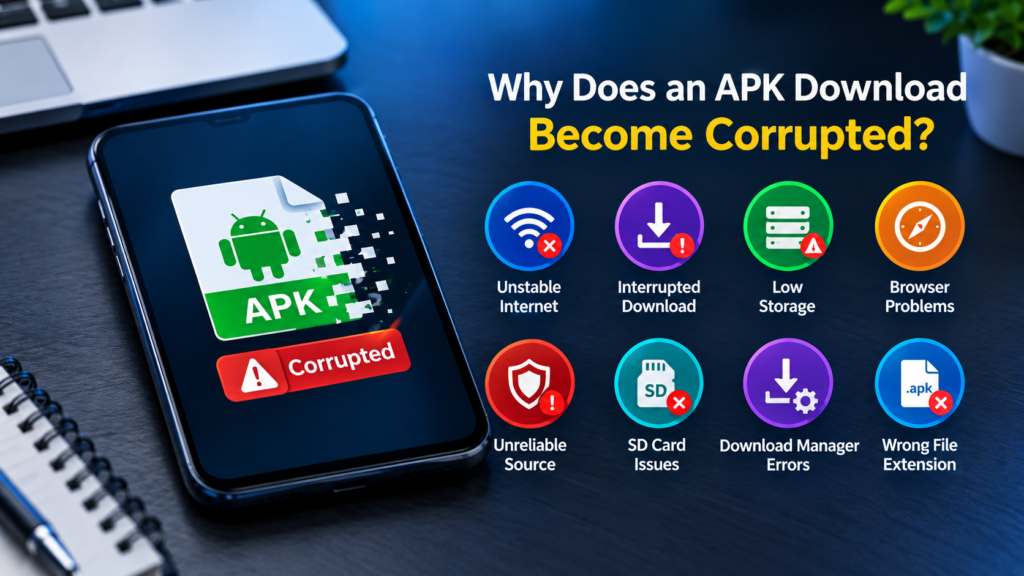
Why Does an APK Download Become Corrupted?
Before learning how to fix APK download corruption, it helps to understand what causes it.
Several factors can affect an APK download:
| Possible Cause | What Happens | Recommended Action |
|---|---|---|
| Unstable internet | Download data may be incomplete | Use a stronger connection |
| Interrupted download | The file may not finish properly | Download it again |
| Low storage | Android or browser cannot save the complete file | Free up storage |
| Browser problem | Download may fail or stop unexpectedly | Try another browser |
| Unreliable source | File may already be damaged | Use a trustworthy source |
| SD card problems | File can become unreadable after transfer | Use internal storage |
| Download manager issue | Temporary download data may be corrupted | Clear download data |
| Incorrect file extension | Android may not recognize the package | Check the file name and format |
Identifying the likely cause can save you from repeatedly downloading the same problematic file.
1. Delete the Corrupted APK and Download It Again
The simplest solution is often to remove the damaged file and start a fresh download.
Do not repeatedly try installing the same APK if you already suspect that the download is incomplete. A damaged file will generally remain damaged no matter how many times you attempt installation.
First, delete the existing APK from your Downloads folder. Then restart the download from the source.
Before downloading again:
- Make sure your internet connection is stable.
- Avoid switching between Wi-Fi and mobile data.
- Keep the browser open if your device frequently pauses downloads.
- Make sure you have enough free storage.
- Avoid interrupting the download.
A fresh download can resolve corruption caused by a temporary network interruption.
2. Check Your Internet Connection
An unstable connection is one of the most common reasons a large file fails to download correctly.
If your connection repeatedly drops while downloading an APK, the browser or download manager may save an incomplete file. Some services can resume interrupted downloads, while others may not handle interruptions properly.
Try these steps:
- Move closer to your Wi-Fi router.
- Restart the router if necessary.
- Switch from Wi-Fi to mobile data, or vice versa.
- Pause other large downloads or streaming activities.
- Start the APK download again.
If other files are also downloading unusually slowly or failing, the connection may be the underlying issue rather than the APK itself.
3. Make Sure Your Device Has Enough Storage
Insufficient storage can cause downloads to stop before the entire APK has been saved.
For example, an APK might require 300 MB of storage, but your device may have only a small amount of free space remaining. Temporary browser files and installation data can also require additional storage.
Check your available storage before downloading.
You can usually find storage information under:
Settings → Storage
If space is low, remove unnecessary:
- Videos
- Photos
- Downloaded files
- Unused applications
- Large documents
- Temporary files
After freeing up space, delete the incomplete APK and download it again.
4. Try a Different Browser
Sometimes the problem is related to the browser rather than your internet connection.
How to Fix APK Download Corruption A browser can experience problems with its download cache, permissions, or temporary storage. If the same APK repeatedly becomes corrupted through one browser, try downloading it using another trusted browser.
You can also restart the browser before trying again.
If the second browser downloads the APK correctly, the original browser may have been responsible for the failed download.
5. Clear the Browser’s Cache
A damaged cache can occasionally interfere with downloads.
If you have repeatedly attempted to download the same APK, clearing the browser cache may help remove temporary data associated with failed downloads.
On many Android devices, you can access the browser’s app settings through:
Settings → Apps → Your Browser → Storage
You may see options such as Clear Cache or Clear Storage.
Be careful with Clear Storage/Data, because it can remove saved browser information, settings, and other local data. If available, try clearing only the cache first.
Then reopen the browser and download the APK again.
6. Check the APK File Size
One useful way to identify a potentially corrupted download is to compare its file size with the size reported by the download source.
Suppose the source indicates that an APK should be approximately 150 MB, but the downloaded file is only 20 MB. That is a strong indication that the download did not complete properly.
A smaller file is not automatically corrupted because APK versions can differ in size. However, a significant mismatch is worth investigating.
If the file size looks suspicious:
- Delete the APK.
- Restart your internet connection.
- Download it again.
- Avoid interrupting the process.
- Compare the new file size with the source information.
7. Download the APK From a Trustworthy Source
Sometimes the download itself is not the problem. The APK available from the source may already be incomplete, modified incorrectly, or damaged.
This is why the source matters.
Avoid downloading APK files from random websites, suspicious advertisements, pop-ups, or links shared without context. Besides corruption, unofficial APK files can introduce security and privacy risks.
Whenever possible, How to Fix APK Download Corruption obtain the APK from the app developer or another reputable distribution source.
You should also be cautious with modified APKs. Because they have been altered from the original application package, their integrity and behavior may differ from the official version.
8. Check the APK File Extension
A file that looks like an APK may not actually be a standard APK.
For example, some Android applications are distributed using formats such as:
- APK
- XAPK
- APKS
- APKM
These formats can contain additional files or multiple APK components. Renaming one format to another does not necessarily convert it into a valid APK.
If the downloaded file has an unexpected extension, check what format it actually is before attempting installation.
Trying to install a package using the wrong method can lead to errors that may appear similar to download corruption.
9. Move the APK to Internal Storage
If you downloaded the APK directly to an SD card or transferred it from external storage, the storage medium could be contributing to the problem.
An unreliable or damaged SD card may cause files to become unreadable.
If possible, download or copy the APK to your device’s internal storage and try again.
You can place the file in your normal Downloads folder and then attempt installation from there.
If the APK works correctly from internal storage but not from the SD card, the storage card may need to be checked or replaced.
How to Tell Whether the APK Is Actually Corrupted
Not every installation problem is caused by corruption.
An APK can be completely intact but still fail to install because it is incompatible with your Android version, CPU architecture, package configuration, or existing application installation.
Consider these signs:
Likely download corruption:
- File size is unexpectedly small.
- Download stopped before reaching 100%.
- Re-downloading produces a different result.
- The file cannot be opened or verified.
- The download repeatedly fails.
Possibly a different problem:
- The APK downloads completely but will not install.
- Android reports a signature conflict.
- The app requires a newer Android version.
- The APK uses an unsupported architecture.
- Another version of the same app is already installed.
Understanding this difference can prevent unnecessary troubleshooting.
What to Do If the APK Keeps Getting Corrupted
If you have downloaded the same APK several times and every copy appears damaged, do not keep repeating the exact same process.
Instead, change the conditions of the download.
Try this combination:
- Restart your phone.
- Connect to a reliable Wi-Fi network.
- Free up additional storage.
- Clear the browser cache.
- Use another browser.
- Delete all previous copies of the APK.
- Download from a trustworthy source.
- Save the file to internal storage.
- Check the downloaded file size before installation.
If the problem continues after all these steps, the source itself may be providing a problematic file.
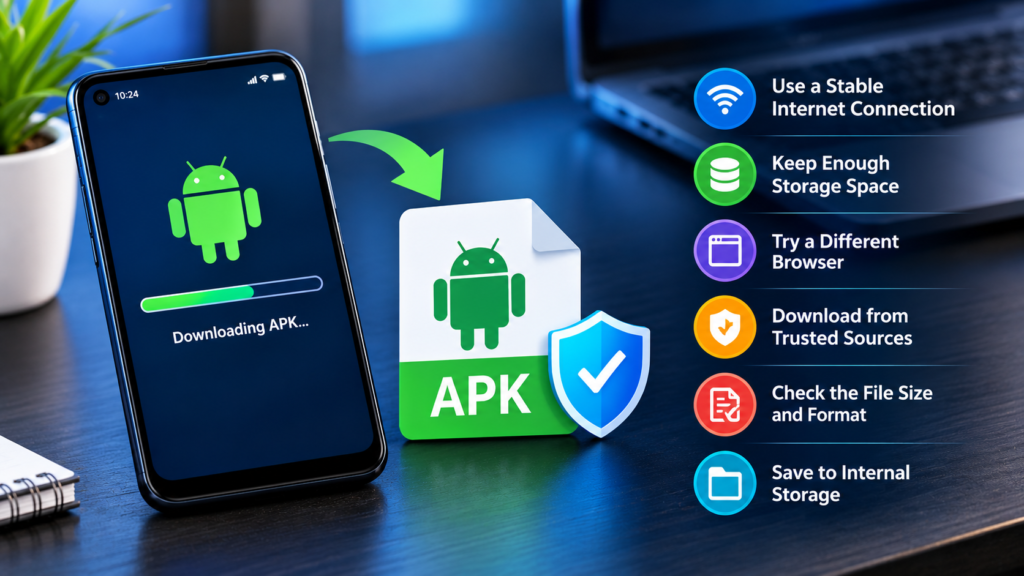
How to Prevent APK Download Corruption
Prevention is easier than repeatedly troubleshooting failed downloads.
Before downloading an APK, How to Fix APK Download Corruption make sure your device has sufficient free storage and that your internet connection is stable.
It is also a good idea to avoid downloading large files while your connection is frequently disconnecting.
For better results:
- Keep your Android device updated.
- Use a stable internet connection.
- Maintain enough free storage.
- Download from reputable sources.
- Avoid suspicious download buttons and pop-ups.
- Do not interrupt downloads unnecessarily.
- Check the file size after downloading.
- Keep important files in reliable storage.
- Scan unfamiliar files with appropriate security tools.
Most importantly, do not disable Android security protections simply because an APK refuses to install. A failed installation does not automatically mean that a security feature is the problem.
Frequently Asked Questions
Why is my APK download corrupted?
An APK can become corrupted because of an interrupted download, unstable internet connection, insufficient storage, browser problems, storage errors, or a damaged file from the source.
How do I fix a corrupted APK file?
Delete the corrupted APK and download a fresh copy using a stable internet connection. You can also try another browser, free up storage, and use a trustworthy source.
Can a bad internet connection corrupt an APK?
Yes. If the connection repeatedly drops or the download is interrupted, the resulting file may be incomplete or damaged.
How can I tell if an APK is incomplete?
Check the downloaded file size against the size reported by the source. An unusually small file can indicate that the download did not finish properly.
Should I download the APK again if it will not install?
Yes, if you suspect the original download is incomplete or corrupted. Delete the old copy first and download a fresh version. If the new file also fails, investigate compatibility, file format, signature, or source-related issues How to Fix APK Download Corruption .
Is every failed APK installation caused by corruption?
No. Installation failures can also result from incompatible Android versions, unsupported architectures, signature conflicts, incorrect package formats, insufficient permissions, or an existing version of the application.
Final Thoughts
Knowing how to fix APK download corruption can save you time when an APK refuses to install or behaves unexpectedly. In many cases, the solution is simply to delete the incomplete file and download it again using a stable connection.
Also Read: How to Fix APK Verification Error on Android: 9 Easy Solutions











1 comment