7 Powerful APK Malware Check: Methods to Safely Scan Android Apps
Downloading an APK can be useful when an app is unavailable through the official app store, when you need an older version, or when you want to install an app manually. However, APK files can also create security risks if they come from unknown or unreliable sources.
This is why performing an APK malware check before installing an Android application is a smart habit. A file may look completely normal while containing malicious code designed to steal information, display unwanted advertisements, track activity, or compromise your device.
The good news is that you do not need to be a cybersecurity expert to check an APK for malware. Several practical methods can help you assess a file before allowing it onto your phone.
In this guide, we will explain what an APK malware check is, how to scan APK files, what warning signs to look for, and what you should do if a scanner detects something suspicious.
What Is an APK Malware Check?
An APK malware check is the process of examining an Android Package Kit (APK) file for potentially harmful software or suspicious behavior.
An APK is essentially the installation package used to distribute an Android application. Like other software packages, it can be modified or repackaged by someone other than the original developer.
A malware check can look for things such as:
- Known viruses and trojans
- Spyware
- Ransomware
- Malicious advertising components
- Suspicious permissions
- Potentially harmful code
- Modified or tampered application files
- Unusual network activity
- Known malware signatures
A scan does not guarantee that an APK is completely safe. However, combining several checks can significantly reduce the chances of installing a malicious application.
Why Should You Check an APK for Malware?
Installing an APK bypasses some of the normal distribution controls associated with official app stores. That does not automatically make every APK dangerous, but it does mean you should pay closer attention to where the file came from.
A malicious APK can potentially cause serious problems.
For example, an infected application could attempt to access personal information, abuse device permissions, send unwanted messages, display aggressive advertisements, or communicate with suspicious servers.
Some threats are obvious because the application behaves strangely immediately after installation. Others operate quietly in the background.
That is why APK malware check procedures are particularly important before installing files downloaded from third-party websites.
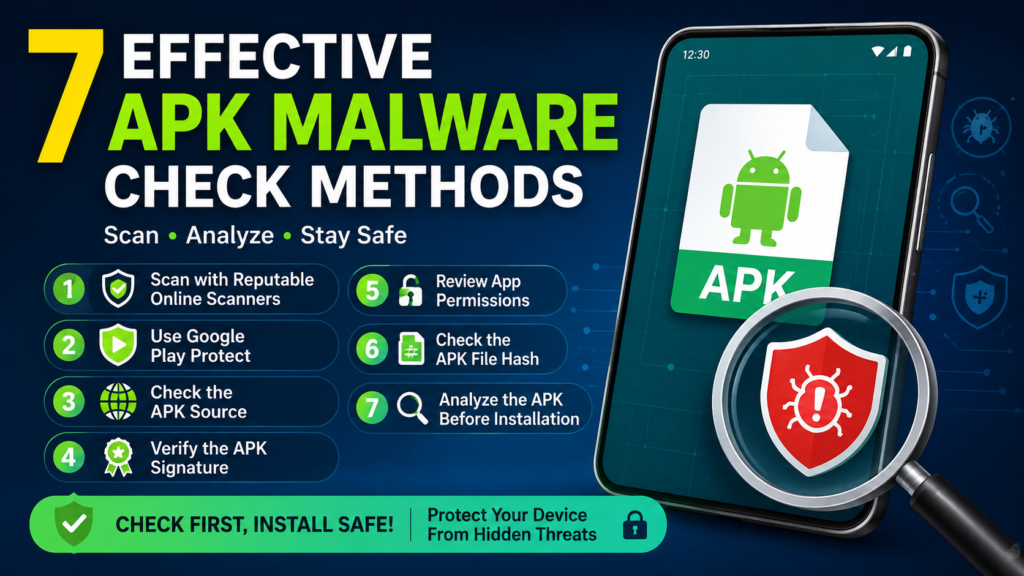
7 Effective APK Malware Check Methods
There is no single test that can identify every possible threat. The safest approach is to use multiple layers of verification.
1. Scan the APK With a Reputable Online Scanner
One of the easiest ways to check an APK is to upload the file to a reputable online malware-scanning service.
These services can compare the file against multiple antivirus engines and security databases. If several engines independently flag the same APK, that is a strong reason to avoid installing it.
A multi-engine scan can provide useful information such as:
- Malware detections
- Suspicious classifications
- Antivirus engine results
- File hashes
- Possible security concerns
However, do not assume that a file is safe simply because one scanner reports no problems. New or heavily modified malware may not yet be recognized.
2. Use Google Play Protect
Google Play Protect is another important security layer for Android users.
Although it is primarily designed to protect apps on Android devices, it can also warn users about potentially harmful applications. Keeping Play Protect enabled gives your device an additional opportunity to identify suspicious software.
Before installing an APK, make sure your device’s security features are active.
You should be especially cautious if your phone displays a warning about an application. Instead of immediately ignoring the warning, investigate why the file has been flagged.
3. Check the APK’s Source
The website where you obtained an APK is extremely important.
A malware scanner can tell you whether a file appears suspicious, but source verification provides additional context.
Before downloading an APK, ask yourself:
- Is the website reputable?
- Does it clearly identify the developer?
- Does the application have an official website?
- Is the APK version clearly listed?
- Does the file appear to have been modified?
- Are there unusual download instructions?
- Does the website make unrealistic claims?
Be particularly careful with websites offering supposedly premium applications for free or modified versions with features that are not available in the official release.
An APK from an unknown source deserves more scrutiny than one obtained directly from the application’s legitimate developer.
4. Compare the APK’s Signature
Android applications are digitally signed. The signing information can help determine whether an APK came from the expected developer or has been altered.
If you are downloading an updated version of an existing application, comparing its signing certificate with a known legitimate version can provide useful evidence.
A mismatch does not always mean malware is present. Developers can change signing arrangements, and different distribution channels can sometimes use different legitimate signatures.
Still, an unexpected signature change should encourage further investigation rather than an immediate installation.
5. Examine the App Permissions
Permissions are one of the most useful clues during an APK security check.
An application may legitimately need access to certain device features. A navigation application, for example, may require location access. A messaging application may reasonably need access to contacts or notifications.
The problem occurs when an app requests permissions that have little relationship to its purpose.
For example, a simple flashlight application requesting extensive access to contacts, messages, microphone, and other sensitive information should make you question why those permissions are necessary.
Look for access involving:
- Contacts
- SMS
- Microphone
- Camera
- Location
- Phone information
- Accessibility services
- Notifications
- Storage and files
Permissions alone cannot prove that an APK contains malware, but unusual combinations can be an important warning sign.
6. Check the APK File Hash
A file hash is a unique-looking string generated from the contents of a file.
Common hashing algorithms include SHA-256 and SHA-1, although SHA-256 is generally more useful for modern integrity verification.
If a developer publishes an official hash for an APK, you can calculate the hash of your downloaded file and compare the two values.
If they match, the file contents correspond to the published version.
If they do not match, the file may be different from the official package. That does not automatically prove that it is malicious, but you should determine why the hashes are different before installing it.
7. Analyze the APK Before Installation
For users who want a deeper APK malware check, APK analysis tools can reveal additional information about an application.
These tools may allow you to inspect:
- Application permissions
- Package name
- Activities
- Services
- Receivers
- Embedded libraries
- URLs and domains
- Developer certificates
- Manifest information
- Suspicious strings
This approach is more technical, but it can be useful for researchers, developers, and experienced Android users.
If you discover references to suspicious domains, unusual services, or functionality unrelated to the app’s advertised purpose, treat the APK carefully.
APK Malware Check: What Should You Look For?
When evaluating an APK, you should consider several factors instead of relying on a single scan result.
| Security Check | What It Tells You | Warning Sign |
|---|---|---|
| Malware scan | Detects known threats | Multiple engines flag the file |
| File source | Shows where the APK came from | Unknown or suspicious website |
| Digital signature | Helps verify publisher identity | Unexpected certificate |
| File hash | Checks file integrity | Hash does not match official value |
| Permissions | Shows requested device access | Unnecessary sensitive permissions |
| App behavior | Reveals how the app operates | Crashes, pop-ups, unusual activity |
| Package information | Identifies the application | Unknown or misleading package name |
The strongest assessment comes from combining these checks.
How to Recognize a Suspicious APK
Sometimes an APK can raise concerns even before you install it.
Be cautious when you encounter an APK with several of these characteristics:
- It comes from an unknown website.
- The download page uses aggressive pop-ups or redirects.
- The application promises unrealistic features.
- The APK has been heavily modified.
- The package name looks unrelated to the developer.
- The file requests unusually broad permissions.
- The publisher information is missing.
- The version number seems inconsistent.
- Security scanners produce multiple warnings.
- The website tells you to disable security features before installation.
A single warning may not prove anything. Several warning signs appearing together should be taken seriously.
Can an APK Be Safe Even If It Is Not From Google Play?
Yes. An APK does not automatically become malicious simply because it is installed outside Google Play.
There are legitimate reasons to use APK files. Developers may distribute testing builds, users may need an older version, and some applications may be unavailable in particular regions.
The important distinction is between where an APK is distributed and whether the specific file can be trusted.
A reputable source, verified developer, valid signature, clean malware scan, and sensible permissions provide much stronger evidence than simply assuming that every third-party APK is dangerous.
What If an APK Scanner Detects Malware?
If a malware scanner detects a threat, do not rush to install the file.
First, check how many security engines have flagged it and what type of detection was reported.
Occasionally, security tools can produce false positives, particularly with modified applications or unusual software behavior. However, multiple independent detections should be treated as a serious warning.
If you have not installed the APK yet, the safest option is usually to delete it and obtain the application from a trusted source.
If the APK is already installed and you believe it may be malicious:
- Disconnect from the internet if you suspect active malicious behavior.
- Uninstall the suspicious application if possible.
- Run a security scan on your device.
- Review recently installed applications.
- Check for unusual permissions.
- Change important passwords if sensitive information may have been exposed.
- Monitor accounts for suspicious activity.
- Consider getting professional security assistance if the device continues behaving abnormally.
Avoid repeatedly opening a suspicious application just to see what it does.
Is a Clean APK Scan a Guarantee of Safety?
No.
This is one of the most important things to understand about an APK malware check.
A clean scan means the security tools used during the scan did not identify a known or recognizable threat. It does not mean that every line of code has been proven harmless.
New malware can evade detection. Some threats may only become active under certain conditions, while others may use legitimate-looking components to avoid immediate detection.
For that reason, combine malware scanning with source verification, signature checks, permission reviews, and general caution.
How to Download APK Files More Safely
The safest APK is generally one obtained from a legitimate and verifiable source.
Before downloading, consider the following checklist:
- Prefer the developer’s official distribution channel.
- Avoid suspicious download pages.
- Verify the application name and package name.
- Check the version information.
- Scan the APK before installation.
- Compare the file hash when an official hash is available.
- Review permissions.
- Keep Android and security components updated.
- Avoid modified APKs when you do not know who created them.
- Never ignore repeated security warnings without investigating them.
These steps take only a few extra minutes but can prevent significant problems later.
APK Malware Check vs. APK Reputation
It is also useful to understand the difference between checking a file and checking its reputation.
An APK malware scan focuses primarily on the file itself. Reputation checks consider information surrounding the file, such as its publisher, distribution history, reports from other users, and known versions.
Neither approach is perfect on its own.
A file can have a good reputation and still be compromised. Likewise, an unusual APK can trigger a false positive.
Combining technical analysis with common sense gives you a much stronger security assessment.
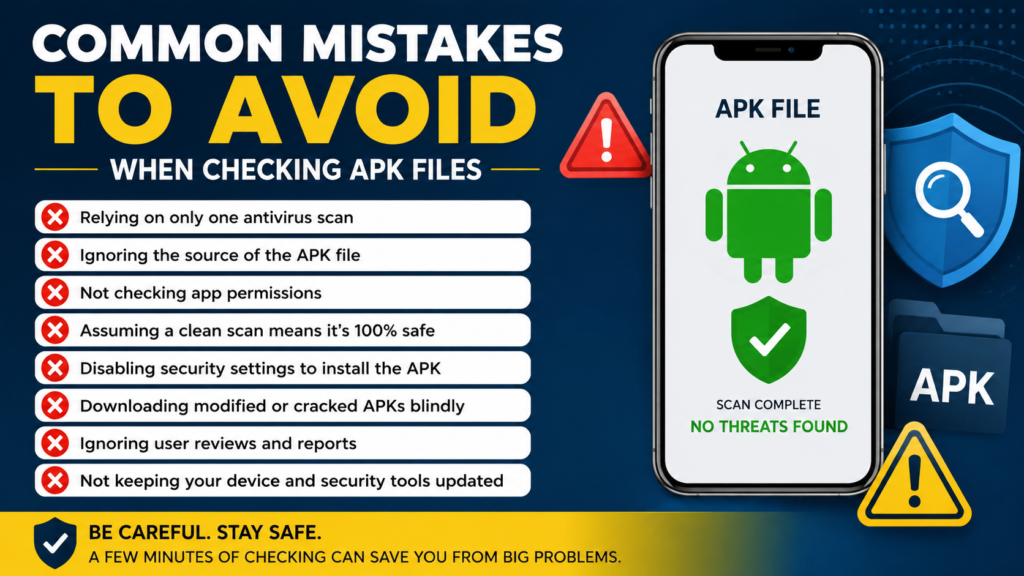
Common Mistakes to Avoid When Checking APK Files
Even users who understand APK security can make mistakes.
One common mistake is assuming that a single “clean” scan means an APK is guaranteed to be safe.
Another is downloading the same application from multiple unknown websites simply because the first source looks suspicious.
You should also avoid disabling security protections just because a download page tells you to. If an APK requires you to turn off important safeguards before it will install, that is a major reason to stop and investigate.
Finally, do not judge an APK solely by its file name. Malware authors can use convincing names, icons, version numbers, and descriptions to make harmful applications appear legitimate.
Frequently Asked Questions
Is an APK malware check necessary before installation?
It is strongly recommended when installing an APK from outside a trusted distribution channel. Scanning the file, checking its source, reviewing permissions, and verifying its authenticity can reduce security risks.
Can antivirus software detect every malicious APK?
No security tool can guarantee detection of every threat. Antivirus engines primarily rely on known malware signatures, behavioral indicators, reputation data, and other detection techniques. New or heavily disguised threats may initially evade detection.
Is every APK downloaded from a third-party website dangerous?
No. Third-party distribution does not automatically mean an APK is malicious. However, the risk can be higher when the source is unknown, the application has been modified, or the publisher cannot be verified.
How can I check an APK without installing it?
You can scan the file with a reputable malware-scanning service, examine its metadata and permissions, verify its digital signature, and compare its hash with an official value when available.
What should I do if multiple scanners flag an APK?
Avoid installing it until you understand the detections. Multiple independent malware warnings are a strong reason to treat the file as potentially unsafe and look for an official or better-trusted version.
Can a modified APK contain malware?
Yes. Modifying an APK can introduce additional code or change how an application behaves. This is why modified APKs deserve extra scrutiny, particularly when their origin and developer cannot be verified.
Final Thoughts
Performing an APK malware check is one of the simplest ways to make manual Android app installation safer. You do not have to rely on one test or become an expert in mobile security.
Start with the basics: verify the source, scan the APK, check permissions, examine the developer information, and compare the file’s signature or hash when reliable reference information is available.
Also Read: How to Update APK Apps Safely: A Complete Android Guide













1 comment