Bilibili APK: What It Is, Features, Benefits, and How to Install It on Android
If you enjoy anime, gaming, entertainment, or creator-focused video content, you may have come across Bilibili APK while looking for an Android app outside the Google Play Store. Bilibili is a popular video and entertainment platform with a particularly strong presence among anime, manga, gaming, and pop-culture communities.
For Android users, an APK can provide another way to install the Bilibili app, especially when the application is unavailable through the Play Store in a particular region or when a user needs a specific version.
But downloading an APK also requires some caution. Not every website offering APK files is trustworthy, and installing an unofficial or modified package can create security and privacy problems.
In this guide, we’ll explain what Bilibili APK means, what you can do with the app, its key features, how APK installation works, and what to check before installing it on your Android phone.
What Is Bilibili APK?
Bilibili APK is the Android application package used to install the Bilibili app on an Android device. APK stands for Android Package Kit, which is the standard file format Android uses to distribute and install applications.
Bilibili itself is a major online entertainment platform known for video content, anime communities, gaming, live streaming, and user-generated content. The Android application gives users access to many of these services from a mobile device.
An APK file is essentially an installation package. When you install it, Android extracts and registers the files needed for the application to operate.
There is an important distinction, however. The Bilibili APK available from an official source may be safer than an APK downloaded from an unknown third-party website. Some unofficial APK sites may redistribute files without clearly explaining where they came from or whether they have been modified.
Why Is Bilibili Popular Among Android Users?
Bilibili has developed a large and active online community, particularly around entertainment and pop culture.
The platform offers more than conventional video streaming. Its community-driven nature makes it attractive to people who want to watch content and interact with other viewers.
Some of the content and communities associated with Bilibili include:
- Anime and animation
- Gaming videos
- Live streams
- Music and performances
- Technology content
- Educational videos
- Creator uploads
- Pop-culture discussions
- Entertainment clips
One feature that makes Bilibili particularly recognizable is its interactive commenting culture. Viewers can participate in discussions and react to videos while building connections with other members of the community.
Key Features of Bilibili APK
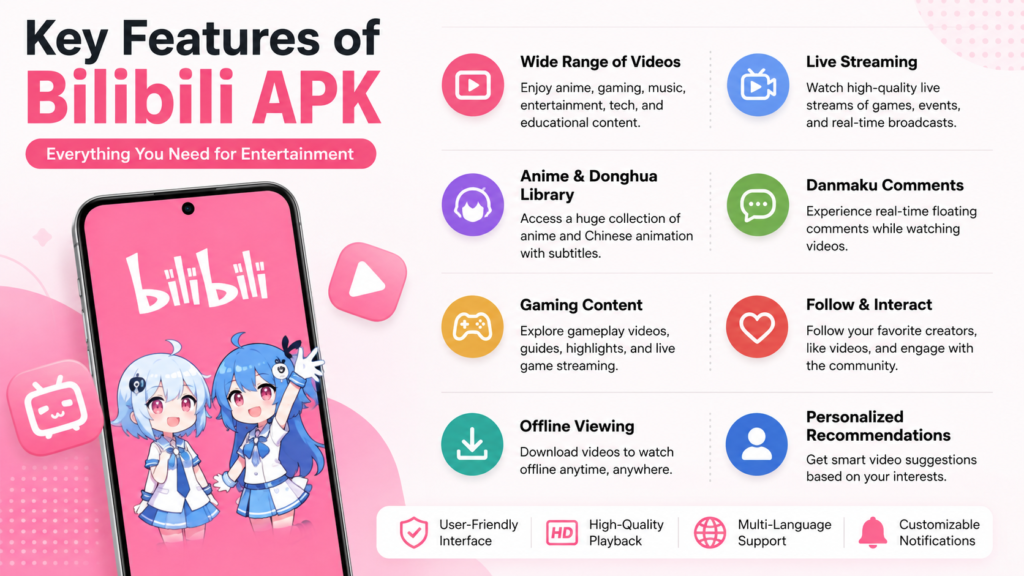
The exact features available can vary depending on the app version, device, account, and region. However, the Bilibili Android application generally focuses on video discovery, community interaction, and entertainment.
Video Streaming
The primary purpose of the app is watching online video content. Users can explore different categories and discover videos based on their interests.
Depending on the content and region, available video quality may vary.
Anime and Entertainment Content
Bilibili has a strong reputation among anime and animation fans. Users can discover a wide range of entertainment-focused videos and community-created content.
Availability of particular shows or licensed content can depend on regional rights.
Gaming Content
Gaming is another important part of the Bilibili ecosystem.
You may find gameplay videos, gaming discussions, live streams, guides, highlights, and creator content covering different titles.
Live Streaming
Bilibili also supports live content. Depending on your location and the current version of the service, users may find live streams involving gaming, entertainment, music, and other categories.
Community Interaction
Bilibili isn’t simply a video player. Community interaction is an important part of the platform.
Users can follow creators, interact with content, participate in discussions, and personalize their viewing experience.
Personalized Recommendations
Like many modern video platforms, Bilibili can recommend content based on viewing behavior and interests.
This can make it easier to discover creators and videos without manually searching for everything.
Bilibili APK vs Google Play Installation
For most Android users, installing an application through the official Google Play Store is the simplest option.
However, an APK can be useful in situations where the application isn’t available through the Play Store in your region or when you need a particular release.
| Feature | Google Play Installation | Bilibili APK Installation |
|---|---|---|
| Installation method | Play Store | APK file |
| Convenience | Very high | Requires additional steps |
| Automatic updates | Usually supported | May require manual updating |
| Source verification | Google Play protections | Depends on download source |
| Regional availability | Can vary | May provide another installation route |
| Security considerations | Generally easier to verify | Source must be checked carefully |
| Manual installation required | No | Yes |
The key point is that an APK isn’t automatically unsafe. The important question is where the APK came from and whether the file has been modified.
How to Download Bilibili APK Safely
If you’re considering downloading a Bilibili APK, don’t rush into the first download button you see.
APK files can be redistributed by many websites, and their contents may not always be clear. A safer approach is to verify the source and file before installing anything.
Here are some useful precautions.
1. Prefer Official Sources
Whenever possible, obtain the application from Bilibili’s official distribution channels or a reputable app marketplace.
Official sources reduce the risk of downloading a package that has been modified by an unknown third party.
2. Check the APK Version
Before installing, check the version number.
An extremely old version may have compatibility or security problems, while an unfamiliar version advertised as the “latest” release deserves additional verification.
3. Avoid Suspicious Modified APKs
Be particularly careful with APKs advertised as:
- Premium unlocked
- Unlimited coins
- No ads
- All features unlocked
- Hacked
- Modified
These packages may have been changed from the original application. A modified APK can introduce risks that aren’t present in the official app.
4. Scan the File
Using a reputable mobile security solution can provide another layer of protection.
A scan doesn’t guarantee that a file is completely safe, but it can identify many known threats before you install the application.
5. Check App Permissions
Pay attention to the permissions requested by the application.
If an APK requests permissions that don’t seem necessary for its intended functionality, consider that a warning sign.
How to Install Bilibili APK on Android
Installing an APK is relatively straightforward, although the exact menus can differ between Android versions and phone manufacturers.
Step 1: Download the APK
Obtain the Bilibili APK from a source you trust.
Make sure the file is intended for Android and that its version is compatible with your device.
Step 2: Open the Downloaded File
Use your browser, Downloads folder, or file manager to locate the APK.
Tap the file to begin installation.
Step 3: Allow Installation From the Relevant Source
Modern Android versions generally control APK installation through a setting that allows a particular app, such as your browser or file manager, to install unknown applications.
If Android displays a warning or asks for permission, review it carefully before continuing.
Only grant the permission to a source you trust.
Step 4: Install the Application
Once Android accepts the installation request, follow the on-screen instructions.
Wait for the installation to finish.
Step 5: Open Bilibili
After installation, launch the application and sign in if necessary.
You can then explore the available content and customize the app according to your preferences.
Common Problems When Installing Bilibili APK
APK installation doesn’t always go smoothly. Several common Android errors can appear.
“App Not Installed”
This can happen for several reasons, including:
- Incompatible Android version
- Corrupted APK file
- Conflicting application already installed
- Insufficient storage
- Incorrect APK package
- Installation restrictions
If you encounter this error, downloading the same file repeatedly isn’t necessarily the solution. First determine whether the package is compatible with your phone.
APK Is Not Compatible
Some Android applications have different builds for different processor architectures or Android versions.
If the APK isn’t designed for your device, Android may refuse to install it or the application may fail after installation.
Installation Blocked
Android may prevent installation from an unknown source.
Check the security settings for the specific browser or file manager you’re using. Avoid disabling broader security protections unnecessarily.
App Crashes After Installation
An application that installs successfully can still crash if the APK is incompatible, corrupted, outdated, or modified.
Trying an official or more appropriate version is generally safer than repeatedly installing unknown packages.
Does Bilibili APK Work on Every Android Phone?
No. Compatibility depends on several factors.
The Android version, hardware architecture, available storage, application build, and regional restrictions can all affect how the application works.
Before downloading an APK, check the application’s stated requirements whenever that information is available.
You should also make sure your phone has enough free storage. Video applications can consume considerable storage over time, particularly if they support offline downloads or cached media.
Bilibili APK and Security: What Should You Know?
The biggest misconception about APK files is that the file format itself determines whether an application is safe.
It doesn’t.
APK is simply an Android application package format. Both legitimate and malicious applications can be distributed as APK files.
The real security question is whether the package is authentic and trustworthy.
A safer APK installation routine includes:
- Downloading from a reputable source
- Checking the developer and package information
- Avoiding suspicious modified versions
- Scanning unfamiliar files
- Keeping Android updated
- Reviewing permissions
- Removing applications you no longer trust
You should also avoid entering sensitive account information into an application if you have doubts about its authenticity.
Should You Use a Bilibili Mod APK?
You may find websites promoting Bilibili mod APKs with claims about unlocked features or removed restrictions.
However, modified applications deserve extra caution.
Because someone other than the original developer has changed the software, you can’t assume that the package behaves exactly like the official version.
Potential concerns include:
- Malware
- Unwanted advertisements
- Privacy issues
- Account security problems
- Unstable performance
- Hidden modifications
- Lack of reliable updates
If your priority is security and reliability, the official application is generally the better choice.
Tips for a Better Bilibili Experience on Android
Once you have the legitimate application installed, a few simple habits can improve your experience.
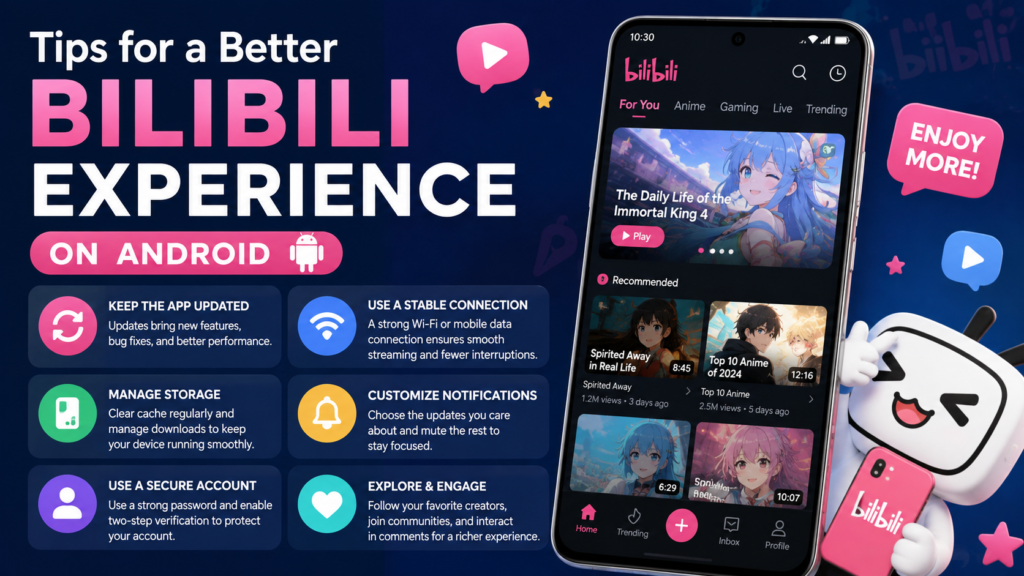
Keep the app updated: New versions may include bug fixes, compatibility improvements, and security-related changes.
Use a stable connection: Video streaming works best with a reliable Wi-Fi or mobile data connection.
Manage storage: Clear unnecessary cached content and monitor offline downloads if storage space becomes limited.
Use a secure account: Choose a strong, unique password and use available account-security features.
Review notifications: Disable notifications that you don’t find useful so they don’t constantly interrupt you.
Frequently Asked Questions
Is Bilibili APK free?
The Bilibili Android application may be available to download without an upfront app purchase, but some content or services can have their own restrictions, subscriptions, or regional availability. Always check the current official offering for your location.
Is it safe to download Bilibili APK?
It can be safe when the APK comes from a trustworthy, authentic source. The main risk comes from downloading modified or tampered packages from unknown websites. Verify the source before installation.
Can I install Bilibili APK without Google Play?
Yes. Android supports manual APK installation, provided the device allows installation from the relevant source. However, users should carefully verify APK files before installing them.
Why won’t Bilibili APK install on my phone?
Possible causes include an incompatible Android version, insufficient storage, a corrupted download, conflicting packages, or an APK built for a different device configuration.
Should I download Bilibili Mod APK?
A modified APK can carry additional security and privacy risks because it has been altered by a third party. If reliability and security matter to you, using an official version is the safer approach.
Can I update Bilibili after installing an APK?
It depends on where the APK came from and how the application was installed. Officially distributed versions may receive updates through their normal distribution channel, while manually installed packages may require another compatible update package.
Final Thoughts
Bilibili APK provides Android users with a way to install the Bilibili application outside the traditional Play Store route. The platform is particularly appealing to people interested in anime, gaming, live streams, entertainment, and creator communities.
However, the convenience of APK installation comes with an important responsibility: verify the file before installing it.
Also Read: 7 Powerful APK Malware Check: Methods to Safely Scan Android Apps












1 comment