
Hotstar APK: Features, Compatibility, Installation Guide, and Safety Tips
Introduction
Streaming apps have made it easier than ever to watch movies, television shows, live sports, and entertainment on a smartphone. For users who enjoy Indian entertainment and international content, Hotstar APK is a popular search term when looking for a way to access streaming services on Android devices.
Hotstar is associated with the streaming platform now known as JioHotstar in India, while Disney+ continues to operate under its own brand in some international markets. The available content, subscription plans, and app features can vary depending on your country.
Before downloading a Hotstar APK, it is important to understand what the app offers, which Android versions it supports, and how to avoid potentially unsafe installation files. Not every APK available on a third-party website is genuine, up to date, or compatible with your phone.
This guide explains the main features, installation options, compatibility requirements, common problems, and safety precautions to consider before installing the app.
What Is Hotstar APK?
A Hotstar APK is an Android application package associated with the Hotstar streaming service. APK files are installation packages that Android uses to install applications outside the usual app-store installation process.
People may search for a Hotstar APK when they want to reinstall the application, obtain an installation file, or understand whether it works on their device. However, downloading an APK does not automatically provide access to premium content or remove subscription requirements.
The official streaming service may use different names and applications depending on the region. In India, users should check the official JioHotstar service, while users in other countries should confirm which Disney streaming service is available locally.
It is also important to distinguish an original application package from modified or repackaged files. A file labelled as the latest Hotstar APK is not necessarily an official release.
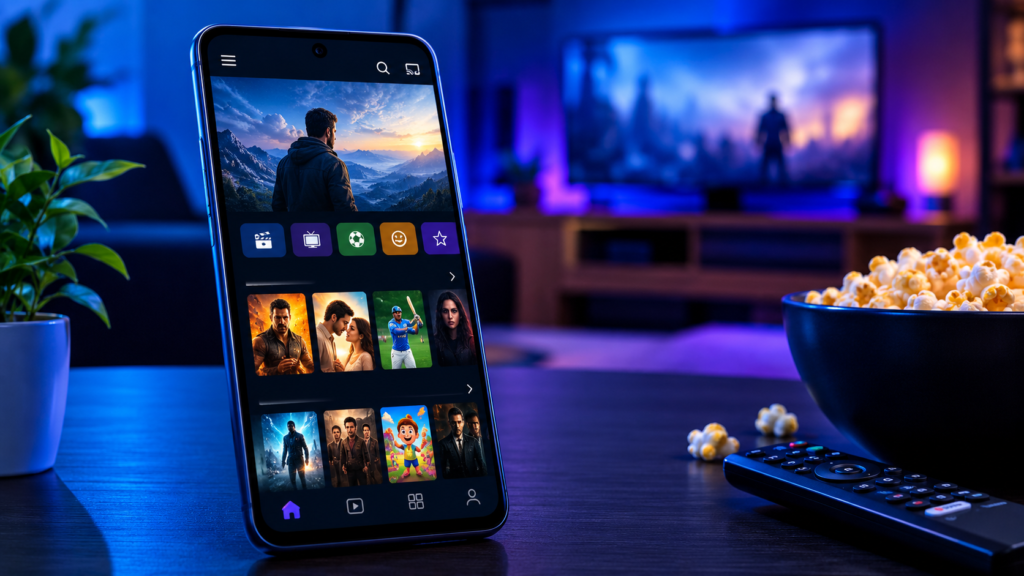
Key Features of the Hotstar App
The features available to users depend on their location, subscription, device, and the current version of the application.
1. Movies and TV Shows
Streaming platforms associated with Hotstar offer access to various entertainment categories, including movies, television programmes, dramas, and other on-demand content.
The exact library can change over time because of licensing agreements and regional distribution rights. A title available in one country might not appear in another.
2. Live Sports and Sports Highlights
Sports coverage is one of the main reasons many users search for Hotstar. Depending on the market and current broadcasting rights, the relevant service may offer live sporting events, highlights, replays, and related programmes.
Live sports availability should always be checked through the official platform. Installing an APK does not guarantee that a particular match or tournament will be available without a subscription.
3. Multiple Language Options
Some programmes offer different audio tracks or subtitle options. This can make content easier to follow for viewers who prefer a particular language.
Language availability varies by title and region, so users should check the details of individual programmes before starting playback.
4. Personalised Recommendations
Streaming applications may recommend programmes based on viewing activity, searches, and selected preferences. These suggestions can help users discover new films and series without browsing every category manually.
Recommendation features and account settings may differ between app versions.
5. Streaming Quality Options
Depending on the device, network connection, content, and subscription, users may have access to different video-quality settings.
A stable Wi-Fi or mobile data connection generally improves playback. Lowering the video quality can help reduce buffering when internet speeds are limited.
Hotstar APK Compatibility Requirements
Before installing a Hotstar APK, check whether your device meets the requirements of the specific application version.
Compatibility is not determined by Android version alone. Processor architecture, available storage, device certification, regional restrictions, and the app’s technical requirements can also affect installation and playback.
| Compatibility factor | What to check | Why it matters |
|---|---|---|
| Android version | Your phone’s installed Android release | Older devices may not support newer app versions |
| Processor architecture | Whether the package supports your device’s CPU architecture | An incompatible package may fail to install |
| Available storage | Free internal storage | The installation and app data require space |
| Internet connection | Wi-Fi or mobile data stability | Streaming depends on a reliable connection |
| Device certification | Whether the device meets the service’s requirements | Some features may not work on unsupported devices |
| Region availability | Official service access in your country | Content and account access can vary by location |
| App version | Current official release | Outdated versions may have bugs or security issues |
There is no single Android version requirement that applies to every Hotstar-related app release. Always check the current requirements listed by the official app store or service provider rather than relying on an old third-party download page.
How to Download Hotstar APK Safely
The safest approach is to install the streaming application through an official source whenever possible.
Step 1: Check the Official App Store
Open Google Play Store on your Android phone and search for the streaming service available in your region. In India, check for the official JioHotstar application.
Review the developer name, app details, supported devices, and recent updates before installing it.
Step 2: Confirm Regional Availability
If the application does not appear in your store, the service might not be available in your region, or your device might not meet its requirements.
Check the provider’s official website for information about supported countries and alternative viewing options. Avoid downloading a random APK simply because the official app is unavailable.
Step 3: Verify Any APK File
If you have a legitimate reason to use an APK, obtain it only from a source you can verify. Check the publisher, version number, file details, and available security information.
Be particularly careful with websites advertising unlimited premium access, unlocked subscriptions, or paid content for free. Such claims may indicate an unofficial or modified package.
Step 4: Scan the File
Use Google Play Protect and reputable mobile security tools to check suspicious files. A scan can help identify known threats, although a clean result does not guarantee that an APK is safe.
Do not ignore security warnings just to complete an installation.
Step 5: Review Permissions
Before opening an unfamiliar application, consider whether its requested permissions make sense for a streaming service.
An app that requests unnecessary access to contacts, text messages, accessibility controls, or other sensitive information deserves additional scrutiny. Deny permissions that are not required for the functionality you use.
Step 6: Keep the App Updated
Use the official update mechanism whenever possible. Updates can fix bugs, address security issues, and improve compatibility with newer Android versions.
Avoid keeping an outdated APK simply because it still opens on your device. Older versions may stop working when the service changes its systems.
Can You Install Hotstar APK Without Google Play Store?
Android allows users to install certain applications from outside Google Play, but that does not mean every external APK is trustworthy or compatible.
If you already have a verified, legitimate installation package, Android may allow you to install it after you grant permission to the relevant installation source. The exact menu names differ between Android versions and manufacturers.
On many Android devices, this setting is available under Settings → Apps → Special app access → Install unknown apps, although the path may vary.
If you proceed with an external installation:
- Confirm the origin of the APK before opening it.
- Grant installation permission only to the specific app that needs it.
- Avoid modified packages claiming to bypass subscriptions or regional restrictions.
- Turn off the unknown-app installation permission again when you finish.
- Do not disable essential security protections to force an installation.
If the official application is available in your region, using the app store is generally simpler and safer.
Common Hotstar APK Problems and Their Solutions
Users may encounter installation errors, playback problems, or unexpected app behaviour. The correct solution depends on the underlying cause.
Hotstar APK Is Not Installing
An installation failure may occur because the Android version is unsupported, the package is damaged, storage is insufficient, or another version of the application is already installed.
Try these steps:
- Check the available storage on your device.
- Confirm that your Android version meets the app’s requirements.
- Download the official application through the supported app store.
- If you use a legitimate APK, verify that the file is complete and compatible.
- Avoid removing an existing app if doing so could delete local data you need.
The App Keeps Crashing
Crashes may result from an outdated app, corrupted temporary data, insufficient device resources, or a software compatibility issue.
Restart your phone, install available official updates, and check whether other applications are experiencing similar problems. You can also clear the app cache through Android’s application settings.
Clearing app data is a more disruptive step because it may reset settings or sign you out. Try less disruptive solutions first.
Videos Are Buffering
Buffering is commonly associated with an unstable internet connection, network congestion, or temporary service issues.
To troubleshoot the problem:
- Test your connection using another streaming service.
- Move closer to your Wi-Fi router or switch to a stable network.
- Reduce video quality if the player offers that option.
- Restart the app and check for service announcements.
- Make sure your device is not downloading large files in the background.
The App Says It Is Not Available in Your Region
Streaming rights and service availability vary by country. A regional restriction is not necessarily an installation problem.
Check the official service’s supported markets and use the platform intended for your location. Avoid unofficial downloads that promise to bypass regional restrictions.
Login or Subscription Problems
Make sure you are using the correct account and that your subscription is active for the relevant service. Remember that subscriptions and account systems may differ between Hotstar-related platforms.
If a payment was completed but premium access is missing, check your account’s subscription information and contact official customer support rather than entering payment details on an unfamiliar website.
Is Hotstar APK Safe to Download?
The answer depends on where the file comes from and whether it has been altered.
An authentic application obtained through an official distribution channel is generally the preferred choice. A modified APK from an unknown website carries additional risks because its code and permissions may have been changed.
Potential risks include:
- Malware or unwanted background activity.
- Theft of account credentials or personal information.
- Unnecessary permissions and intrusive advertisements.
- Unreliable playback or unexpected crashes.
- Loss of access when the service rejects an outdated or altered app.
- Exposure to fake subscription offers and payment scams.
To reduce these risks, verify the developer, use trusted distribution channels, keep Android updated, and never share your account password or payment information with an unverified download website.
Also remember that the presence of an HTTPS connection or a professional-looking website does not prove that a particular APK is legitimate.
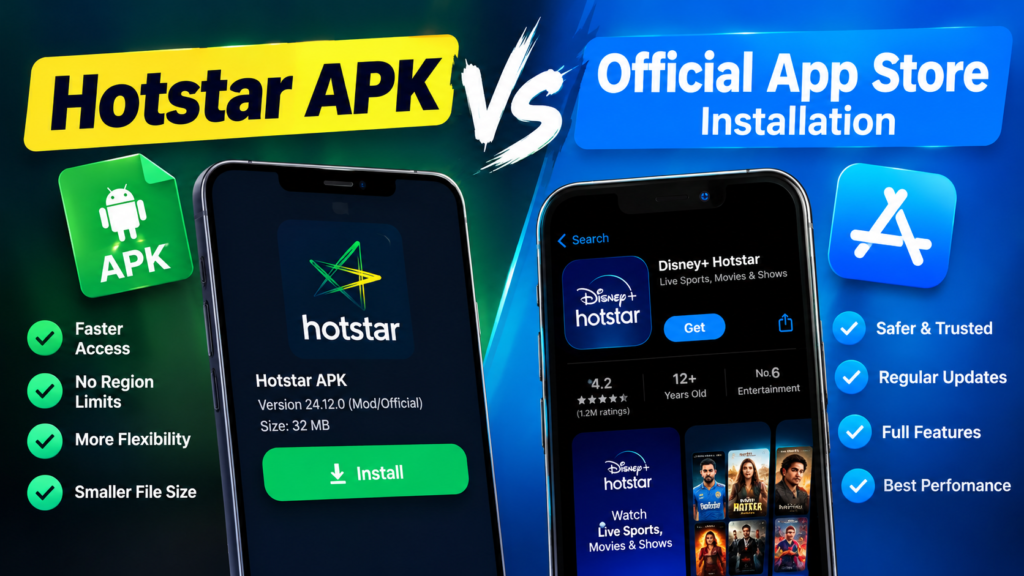
Hotstar APK vs Official App Store Installation
Both approaches can result in an Android application being installed, but they differ in convenience, verification, and update management.
| Feature | Official app store | External APK |
|---|---|---|
| Source verification | Store provides publisher and app information | User must verify the source independently |
| Installation process | Usually straightforward | May require additional permission |
| Updates | Generally managed through the store | May require manual verification and updating |
| Compatibility details | Often displayed on the app listing | Information may be incomplete or inaccurate |
| Security risk | Generally lower when using the genuine listing | Higher if the file comes from an unknown source |
| Recommended for most users | Yes | Only when there is a legitimate, verified reason |
For most users, the official app store is the better option because it simplifies installation and updates while reducing the chance of downloading a tampered package.
Tips for a Better Streaming Experience
Once you have installed the legitimate streaming application, a few simple practices can make watching content more convenient.
- Use a stable connection: Reliable Wi-Fi is useful for long films and live events.
- Keep Android updated: System updates may improve security and application compatibility.
- Manage storage: Remove unnecessary files if your phone is running low on space.
- Update the application: Install official releases to benefit from fixes and improvements.
- Protect your account: Use a strong password and never share verification codes.
- Check subscription details: Confirm the available content and plan limits before purchasing.
- Use appropriate video quality: Choose a setting that suits your connection and data allowance.
These habits can help reduce common playback issues without relying on unofficial or modified applications.
Frequently Asked Questions
1. What is Hotstar APK used for?
Hotstar APK refers to an Android installation package associated with the Hotstar streaming service. Depending on the official application available in your region, users may access movies, television shows, sports, and other entertainment. Content access can require an account or subscription.
2. Is Hotstar APK free to download?
The availability of an installation file does not determine whether the streaming service is free. Some content or features may be available without payment, while others may require a subscription. Check the official service for current plans and regional terms.
3. Can I install Hotstar APK on any Android phone?
No. Compatibility depends on the app version, Android release, device hardware, storage, and other requirements. Check the official listing for supported devices before attempting installation.
4. Why is Hotstar APK not installing on my phone?
Common causes include an unsupported Android version, an incomplete package, insufficient storage, or a conflict with an existing installation. Check the app’s requirements and try the official app-store version first.
5. Is it safe to download Hotstar APK from third-party websites?
Not every third-party APK is safe. Some files may be modified, outdated, or bundled with harmful software. The safest option is to install the genuine application from the official app store or another distribution source explicitly approved by the service provider.
6. Is Hotstar available in every country?
No. Service availability, branding, content libraries, and subscription options vary by market. Check the official streaming provider’s website to find the service available in your country.
Final Thoughts
Hotstar APK is a useful search term for Android users who want to understand how to install and access the associated streaming service. However, choosing the correct application matters more than simply finding a file labelled as the latest version.
Before installing anything, confirm the official service available in your region, check device compatibility, and review the source carefully. The official app store is generally the safest and most convenient option for downloading updates and avoiding tampered packages.
Also Read: How Android Version Affects APK Installation: A Complete Guide











1 comment