Kwaicut APK: Download, Features, Installation Guide, and Safety Tips
If you are looking for Kwaicut APK, you are probably interested in a simple Android video editor that can handle everyday editing without requiring complicated professional software. Kwaicut, officially known as KwaiCut – Video Editor, is a video editing application developed by Kwai Technology Limited.
The app focuses on practical editing tools such as cutting, cropping, joining clips, adjusting playback speed, adding subtitles, applying filters, using stickers, and enhancing audio. It also supports high-resolution video exports, making it useful for people who create content for social media platforms. According to its Google Play listing, KwaiCut has more than 5 million downloads and currently carries a rating of around 4.5 stars.
Many users search for Kwaicut APK download because they want to install the application manually or find a particular version. However, it is important to understand the difference between the official application and modified or unofficial APK files before installing anything on your Android phone.
This guide explains what Kwaicut APK is, its main features, installation options, system requirements, benefits, potential risks, and common questions.
What Is Kwaicut APK?
Kwaicut APK generally refers to the Android installation package for KwaiCut – Video Editor. The official application is developed by Kwai Technology Limited and is designed for creating and editing videos directly on mobile devices.
The official Google Play version provides tools for precise video segmentation, cropping, splicing, rewinding, speed adjustment, sound effects, subtitles, filters, stickers, and other creative features.
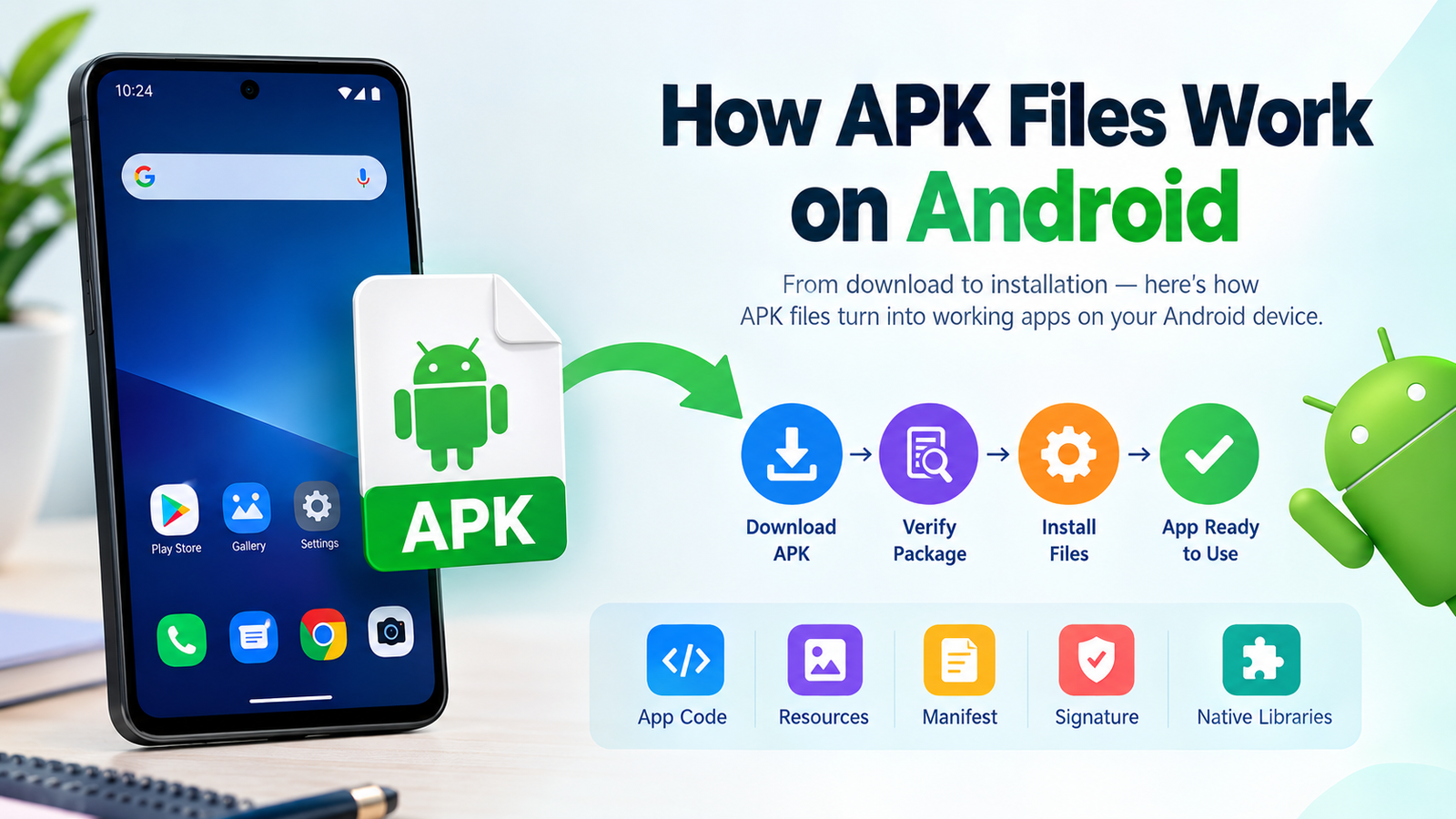
The word “APK” stands for Android Package Kit. Android uses application packages to install apps on compatible devices. When you download an APK from outside Google Play, you are manually obtaining the package instead of installing the application through the Play Store.
It is worth noting that some third-party download sites may distribute KwaiCut in formats such as XAPK rather than a traditional APK. For example, current third-party listings identify recent KwaiCut releases as XAPK packages.
That means users should check the actual file extension before attempting installation.
Kwaicut APK at a Glance
Here is a quick overview of the application:
| Feature | Details |
|---|---|
| App name | KwaiCut – Video Editor |
| Developer | Kwai Technology Limited |
| Package name | com.kwai.editor |
| Category | Video Players & Editors |
| Android requirement | Android 6.0 or later |
| Content rating | Everyone |
| Google Play downloads | 5M+ |
| Current Google Play rating | About 4.5 stars |
| Main purpose | Video editing |
| High-resolution export | Supported |
| Subtitles | Supported |
| Filters | Supported |
| Stickers | Supported |
| Audio tools | Supported |
The exact APK or XAPK size and version can change as new releases are published. Current third-party listings show recent packages around 195 MB, although the installed application may require additional storage for temporary editing files and downloaded resources.
Key Features of Kwaicut APK
KwaiCut is designed to give mobile users a collection of useful editing tools without making the editing process unnecessarily complicated.
Precise Video Editing
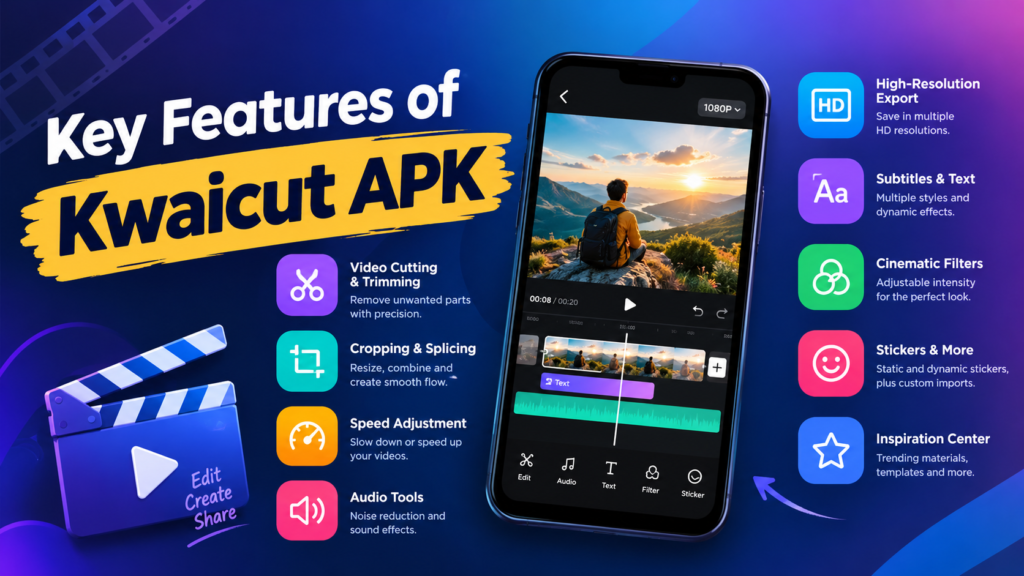
One of the core functions is basic timeline editing. You can cut unwanted sections, crop footage, join multiple clips, reverse videos, and change playback speed.
These tools are useful for short videos, social media posts, tutorials, personal clips, and other everyday content.
High-Resolution Video Export
KwaiCut supports exporting videos in multiple high-definition resolutions. This can be useful when you want to preserve the quality of your original footage instead of producing a heavily compressed final file.
Your available export options can depend on the device, application version, source footage, and other factors.
Audio and Sound Effects
Good video editing is not only about visuals. KwaiCut includes audio-related tools, including noise reduction and a collection of sound effects.
Noise reduction can be useful when recorded speech contains unwanted background noise. You can also use different sound effects and music to make short videos more engaging.
Subtitle and Text Tools
The application provides manual subtitle creation and editing tools. It also includes multiple subtitle styles and dynamic effects.
This can be particularly helpful for short-form content because subtitles can make spoken videos easier to follow, especially when viewers watch without sound.
Cinematic Filters
KwaiCut includes a selection of filters designed to change the visual appearance of your footage.
Instead of applying the same effect to every video, you can experiment with different styles and adjust the intensity when the feature allows it. A lighter filter often produces a more natural result than an overly strong effect.
Creative Stickers
The app also includes static and animated stickers. Users can add stickers, resize them, reposition them, and customize their appearance within a project.
There is also support for importing custom stickers, giving creators additional flexibility.
Inspiration and Material Center
KwaiCut includes an Inspiration Center and material resources intended to make it easier to discover creative assets and trends.
The Google Play listing also mentions optimized materials and new templates in recent updates.
Why Do People Search for Kwaicut APK?
There are several reasons people search for an APK rather than simply searching for the application in Google Play.
Some users may want to:
- Install the app manually.
- Access an APK or XAPK package.
- Reinstall an application after removing it.
- Find an older version.
- Install the app on a device where Play Store installation is inconvenient.
- Learn more about the application before installing it.
However, downloading an APK from an unfamiliar website can introduce additional security risks.
If the official Play Store version is available for your device and region, it is generally the simplest place to obtain the application because Android and Google Play can handle the installation process for you.
How to Install Kwaicut APK on Android
If you have obtained a legitimate APK file and need to install it manually, the process is relatively straightforward.
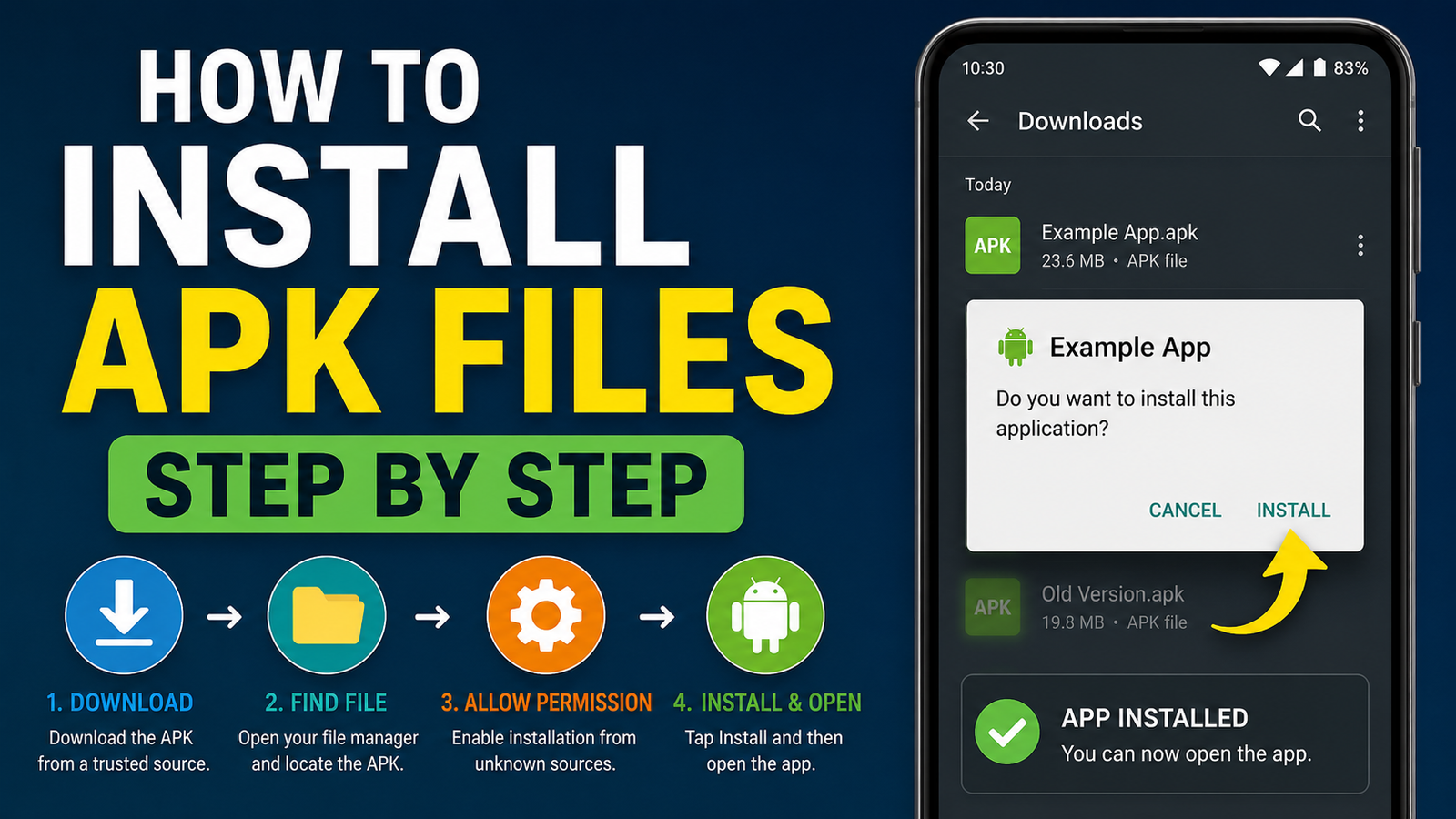
Step 1: Download the APK
Download the installation file from a source you trust. Before opening it, check the filename, file extension, version number, and approximate file size.
Avoid files that unexpectedly have additional extensions or appear to have been repackaged.
Step 2: Allow Installation From Your Browser or File Manager
Recent Android versions normally restrict installations from unknown sources.
If Android displays a warning when you open the APK, go to the relevant settings and allow the browser or file manager you are using to install applications from that source.
The wording varies between Android manufacturers and versions.
Step 3: Open the Downloaded File
Open your Downloads folder or file manager and tap the Kwaicut APK file.
Android should display an installation screen. Review the application information before continuing.
Step 4: Install the Application
Tap Install and wait for the process to finish.
If the installation succeeds, you can open KwaiCut from the installation screen or from your app drawer.
Step 5: Disable the Installation Permission Again
If you enabled installation from an unknown source temporarily, consider turning it off afterward.
Keeping unnecessary installation permissions disabled reduces the chance of accidentally installing unwanted applications later.
What If the Kwaicut File Is XAPK?
This is an important point for people searching for Kwaicut APK.
Not every third-party download is provided as a standard APK. Some current KwaiCut listings are distributed as XAPK files.
An XAPK can contain additional application components that are not included in a basic APK.
If your downloaded file ends in .xapk, simply renaming it to .apk usually isn’t the correct solution. You may need an installer that supports XAPK packages or obtain a standard APK package from an appropriate source.
Always check the file format before troubleshooting an installation failure.
Is Kwaicut APK Safe?
The answer depends heavily on where the APK came from.
The official KwaiCut application is published by Kwai Technology Limited on Google Play. The current Play Store listing identifies the developer and provides the application’s official support information.
The situation is different with modified APKs or files hosted by unknown websites.
An APK can potentially be repackaged, modified, or bundled with unwanted software before being uploaded elsewhere. A website calling a file “safe” does not automatically prove that it is trustworthy.
For safer APK use:
- Prefer the official Google Play listing when available.
- Check the developer name.
- Avoid suspicious “premium unlocked” packages.
- Do not install files that request unusual permissions without a clear reason.
- Scan downloaded files with reputable security software.
- Keep Android and Google Play Protect updated.
- Avoid APKs distributed through aggressive pop-ups or misleading download buttons.
- Check the package name when possible.
Third-party websites currently advertise modified “premium” KwaiCut APK packages, including claims such as unlocked features and removed watermarks. These are not the same as the official Google Play distribution and should be treated with additional caution.
Official Kwaicut APK vs Mod APK
You may encounter websites offering “Kwaicut Mod APK” versions with claims about unlocked premium tools, no watermark, or additional features.
These modified versions can be tempting, but there are important differences.
| Factor | Official KwaiCut | Modified APK |
|---|---|---|
| Developer | Kwai Technology Limited | Usually modified by a third party |
| Distribution | Official app stores | Unofficial websites |
| Updates | Official updates | Depends on uploader |
| Security | Easier to verify | Source-dependent |
| Modifications | No unauthorized modifications | May contain altered code |
| Account/privacy risks | Lower when obtained officially | Potentially higher |
| Recommended for most users | Yes | Use extreme caution |
A modified APK may also stop working after an update or cause compatibility problems.
If you simply want a capable video editor, the official version is usually the better starting point.
Benefits of Using Kwaicut for Video Editing
KwaiCut is particularly attractive to users who want a straightforward mobile editing workflow.
Some notable advantages include:
- Easy-to-understand editing tools.
- Video cutting and trimming.
- Speed adjustment.
- Audio and sound-effect features.
- Subtitle customization.
- Filters and visual effects.
- Stickers and creative assets.
- High-resolution export options.
- A material and inspiration center.
- Free access to the core editing experience.
The Google Play listing describes the application as a free video editing tool and highlights its combination of editing, sound, subtitle, filter, sticker, and creative-material features.
Possible Limitations to Keep in Mind
No video editor is perfect for every user.
KwaiCut can require significant storage because video editing involves large media files, temporary rendering data, downloaded assets, and exported videos.
Performance can also vary between smartphones. A newer phone with more RAM and faster storage will generally handle demanding projects more comfortably than an entry-level device.
Users should also remember that an APK downloaded from a third-party source can create risks that are unrelated to the official application itself.
Before installing any APK, consider whether you actually need a manual installation.
How to Get Better Results With Kwaicut
You do not need complicated editing techniques to make a video look better.
Start by keeping your project organized. Remove unnecessary clips before adding effects. Too many transitions, stickers, and filters can make a video feel cluttered.
For social media content, pay attention to the aspect ratio and resolution required by the platform where you plan to publish the video.
A simple workflow might look like this:
- Import your original clips.
- Remove unwanted footage.
- Arrange clips in the correct order.
- Adjust speed where necessary.
- Clean up the audio.
- Add subtitles or text.
- Apply subtle filters.
- Add music or sound effects.
- Preview the entire video.
- Export at an appropriate resolution.
This approach is often more effective than adding every available effect to a project.
Common Kwaicut APK Installation Problems
If the APK refuses to install, several factors could be responsible.
“App Not Installed” Error
This can happen because of incompatible Android versions, an incomplete download, conflicting versions of the application, insufficient storage, or an incompatible package.
Try downloading the file again from a reliable source and make sure you have enough free storage.
XAPK Won’t Install
If the file is XAPK rather than APK, you need a compatible installation method. Renaming the file extension is not a reliable solution.
Installation Is Blocked
Android may block installation because your browser or file manager does not have permission to install applications from that source.
Check the relevant Android security setting and only enable it when necessary.
App Crashes After Installation
Crashes may result from an incompatible version, insufficient RAM, corrupted files, outdated Android components, or a problematic third-party package.
If you installed an unofficial APK, replacing it with the official version is a sensible troubleshooting step.
Should You Download Kwaicut APK?
For most Android users, the best approach is to install KwaiCut from its official distribution channel when it is available for the device.
Manual APK installation can be useful in specific situations, but it requires more responsibility. You need to verify the file source, package type, version, and authenticity before installing it.
If a website promises a “premium unlocked” or “mod” version, remember that the benefits may come with additional security and privacy risks.
For normal video editing, there is usually little reason to take unnecessary risks when an official version is available.
Frequently Asked Questions About Kwaicut APK
Is Kwaicut APK free?
KwaiCut is presented as a free video editing application. Its official Google Play listing describes it as a free tool with video editing, audio, subtitle, filter, sticker, and other creative features.
What is the official package name of Kwaicut?
The package name associated with KwaiCut is com.kwai.editor. Current app listings identify this package name for the Android application.
Does Kwaicut work on older Android phones?
Current listings indicate that KwaiCut supports Android 6.0 and later. However, compatibility and performance can still vary depending on your phone’s hardware, Android version, available storage, and the complexity of your video projects.
Is Kwaicut the same as Kwai?
KwaiCut is a video editing application developed by Kwai Technology Limited. It focuses specifically on video editing rather than functioning as a general social video platform.
Can I install a Kwaicut XAPK file?
Yes, but XAPK is a different package format from a standard APK. A compatible installation method may be required. Some current third-party listings distribute recent KwaiCut versions as XAPK files.
Is Kwaicut Mod APK safe?
There is no general guarantee that a modified Kwaicut APK is safe. Modified packages come from third parties and can have altered code or additional components. For the lowest-risk installation, use the official version distributed by Kwai Technology Limited.
Final Thoughts
Kwaicut APK is a popular search term for people looking to install KwaiCut, a mobile video editor developed by Kwai Technology Limited. The application offers a useful collection of tools, including video trimming, cropping, speed controls, audio features, subtitles, filters, stickers, and high-resolution exports.
Also Read: How to Install APK From Google Drive on Android: A Complete Step-by-Step Guide






Post Comment